
This Blueprint generates a PHP snippet that registers a Custom Post Type using WordPress’s register_post_type() API.
Use it when you want to create a new type of content in WordPress — such as Projects, Books, Events, or Testimonials — with its own admin menu, editing interface, and optionally front-end URLs and REST API routes.
Before You Start
Try it immediately
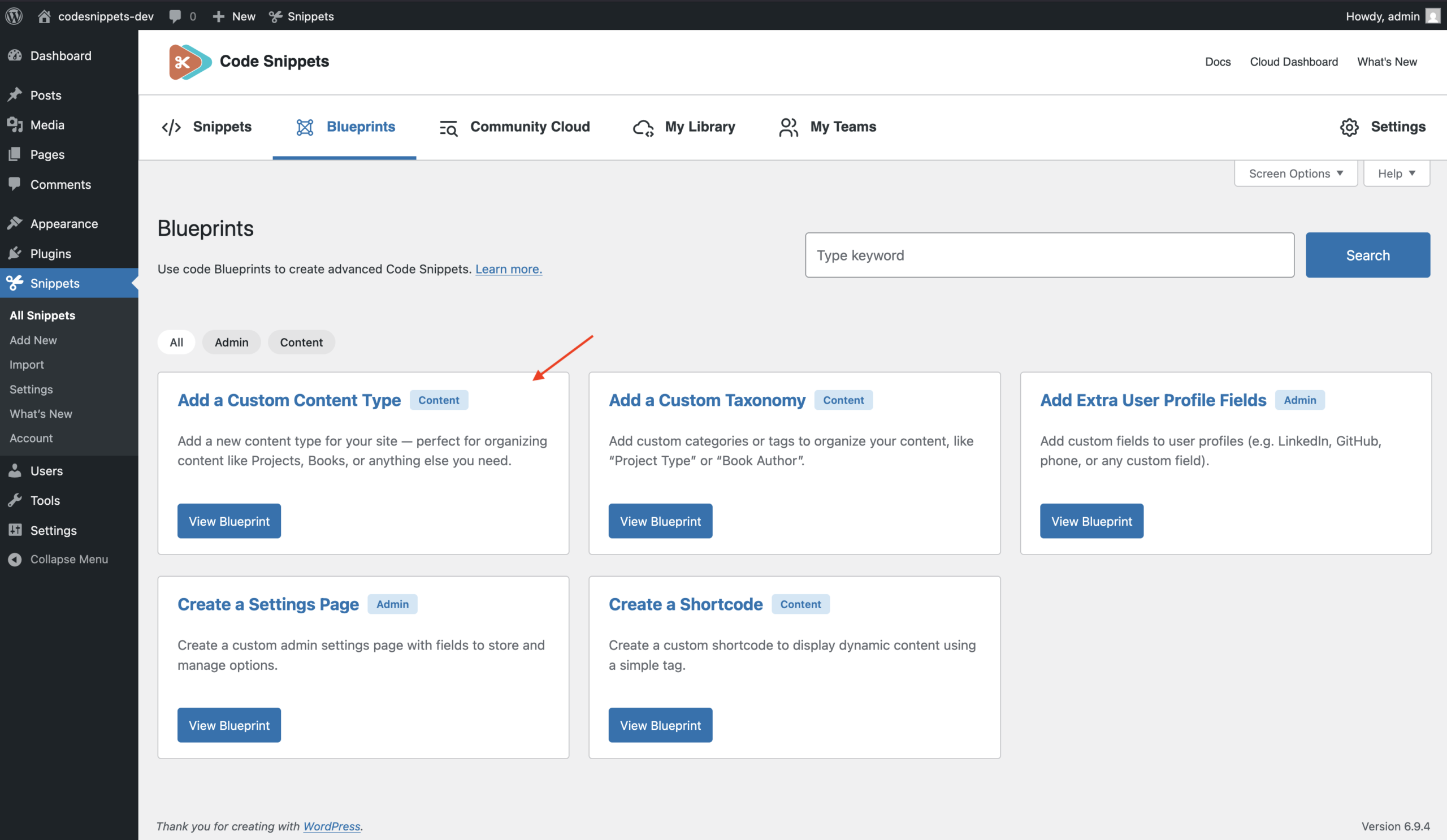
This Blueprint includes a ready-to-use example configuration for a custom content type called “Projects”.
If you generate the code and save it as a snippet without changing any fields, the plugin will register a pre-built “Projects” content type in WordPress.
You can use this default configuration to quickly test how custom post types work. After generating the snippet, you can also edit the fields in the Blueprint form to create your own custom content type with different names, labels, and settings.
Permalinks refresh
After activating a new post type or changing its permalink settings, you may need to refresh WordPress rewrite rules:
Go to Settings → Permalinks and click Save Changes.
Configuration
General
Basic settings that define the identity and structure of your custom content type.
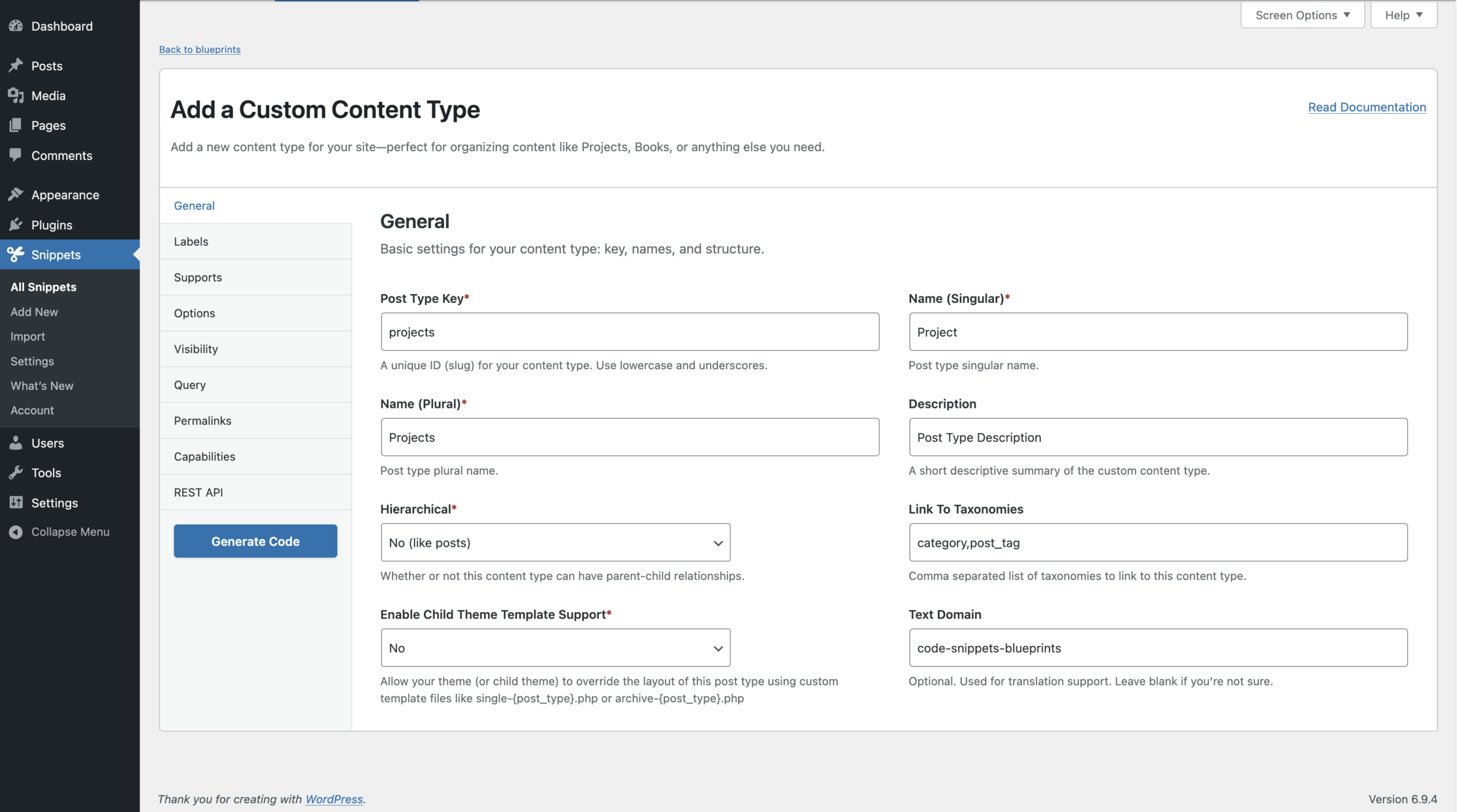
Post Type Key (required)
The internal identifier used by WordPress in code, database records, and URLs. Example: projects
Rules
- Lowercase only
- Maximum 32 characters
- Letters, numbers, underscores, or hyphens
Name (Singular) (required)
The singular human-readable name of the content type.
Example: Project
Used in admin labels such as: Add New Project or Edit Project
Name (Plural) (required)
The plural name used throughout the WordPress admin.
Example: Projects
Description (optional)
A short description of what this content type represents.
Example: Projects for our client portfolio.
Hierarchical (required)
Determines whether items can have parent/child relationships.
Yes — like Pages
– Items can have parents and children
– Supports page-style hierarchy
No — like Posts
– Items exist in a flat structure
Link to Taxonomies (optional)
Attach existing taxonomies to this content type. This adds the taxonomy meta boxes to the editor.
Example: category, post_tag
Rules
Each taxonomy key must be a valid WordPress key.
Note: These taxonomies must already exist (for example the default `category` or a custom taxonomy registered elsewhere).
Enable Child Theme Template Support (required)
Allows themes to override the display templates for this content type. When enabled, themes can provide custom templates such as:
single-{post_type}.php
archive-{post_type}.php
Example: single-projects.php and archive-projects.php
These files allow themes to control how this content appears on the front end.
Text Domain (optional)
Used for translating labels. Example: my-plugin
Rules
Letters, numbers, underscores, or hyphens only.
When provided, labels are wrapped in translation functions.
Labels
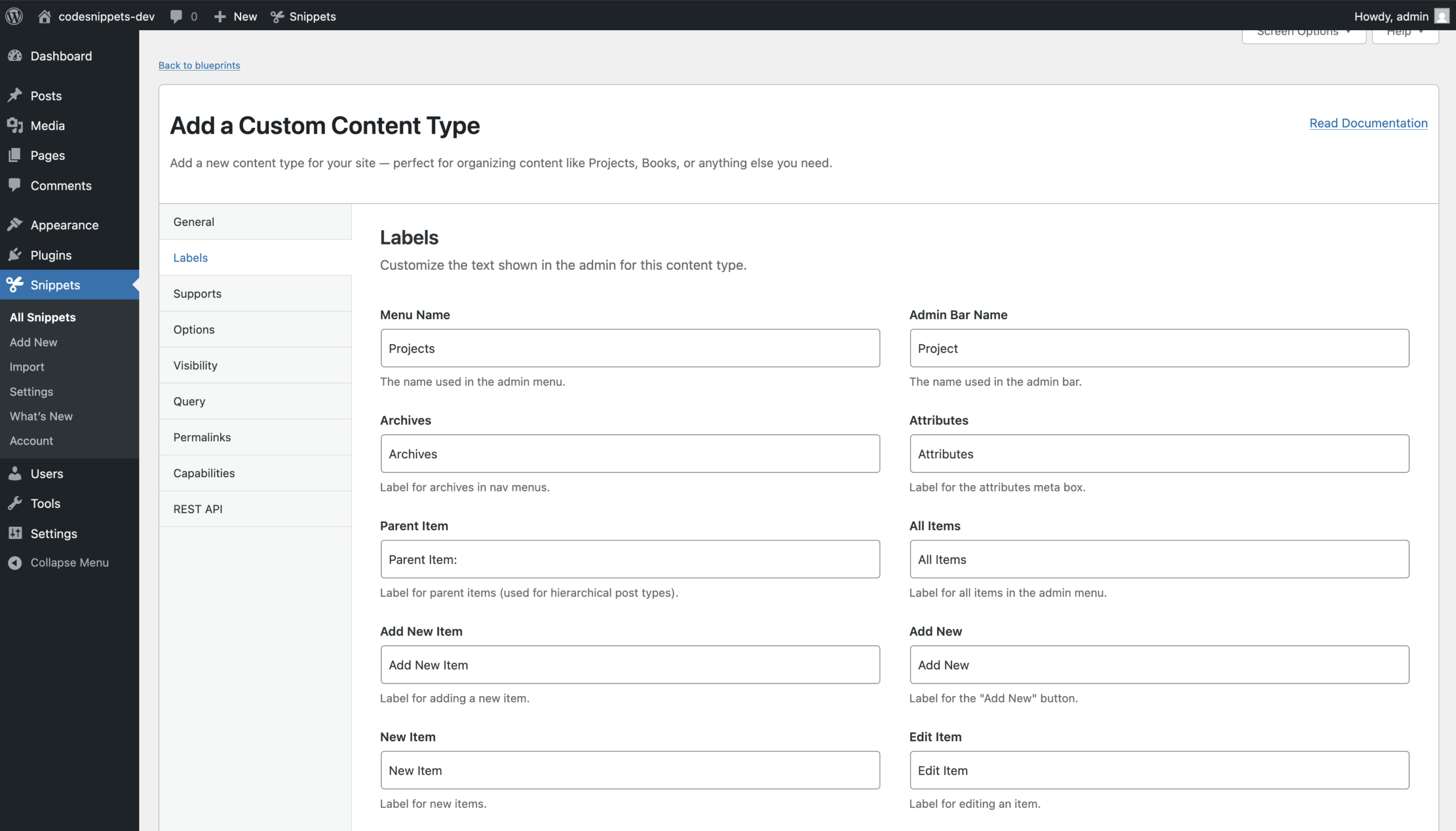
Customize the text labels used in the WordPress admin interface.
All fields are optional. If left empty, WordPress automatically generates labels from the singular and plural names.
Menu and Admin UI Labels
- Menu Name
- Admin Bar Name
- Archives
- Attributes
- Parent Item
Editing Labels
- All Items
- Add New Item
- Add New
- New Item
- Edit Item
- Update Item
Viewing and Search Labels
- View Item
- View Items
- Search Item
- Not Found
- Not Found in Trash
Featured Image Labels
- Featured Image
- Set Featured Image
- Remove Featured Image
- Use as Featured Image
Media Library Labels
- Insert into Item
- Uploaded to this Item
Screen Reader Labels
- Items List
- Items List Navigation
- Filter Items List
Supports
Choose which editing features appear on the post editing screen. This controls the `supports` argument in `register_post_type()`.
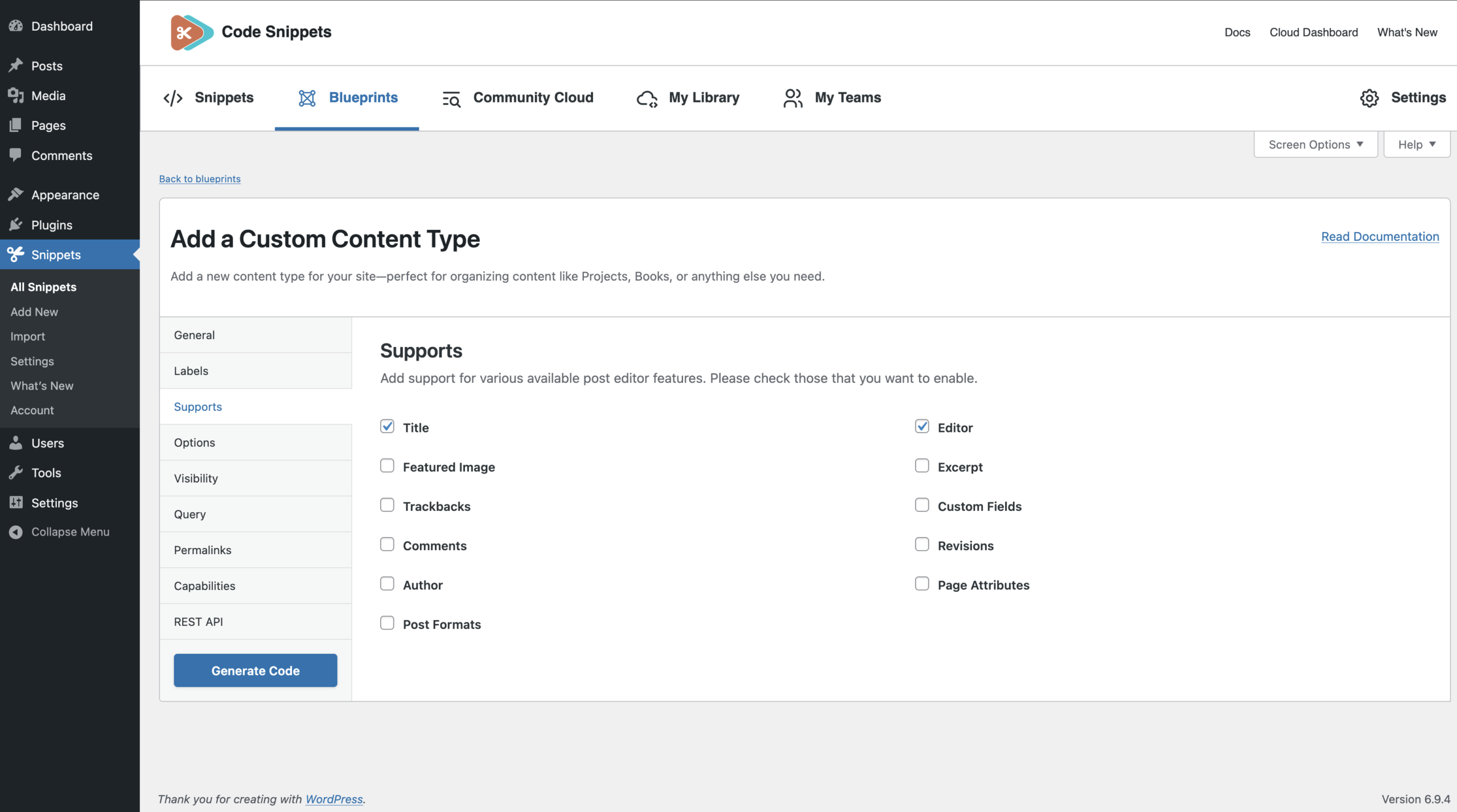
Available features include:
- Title *(enabled by default)*
- Editor *(enabled by default)*
- Featured Image
- Excerpt
- Trackbacks
- Custom Fields
- Comments
- Revisions
- Author
- Page Attributes
- Post Formats
Tip: disabling supports removes those UI panels entirely, which can simplify the editing experience.
Options
Additional behavior settings for search, archives, and exporting.
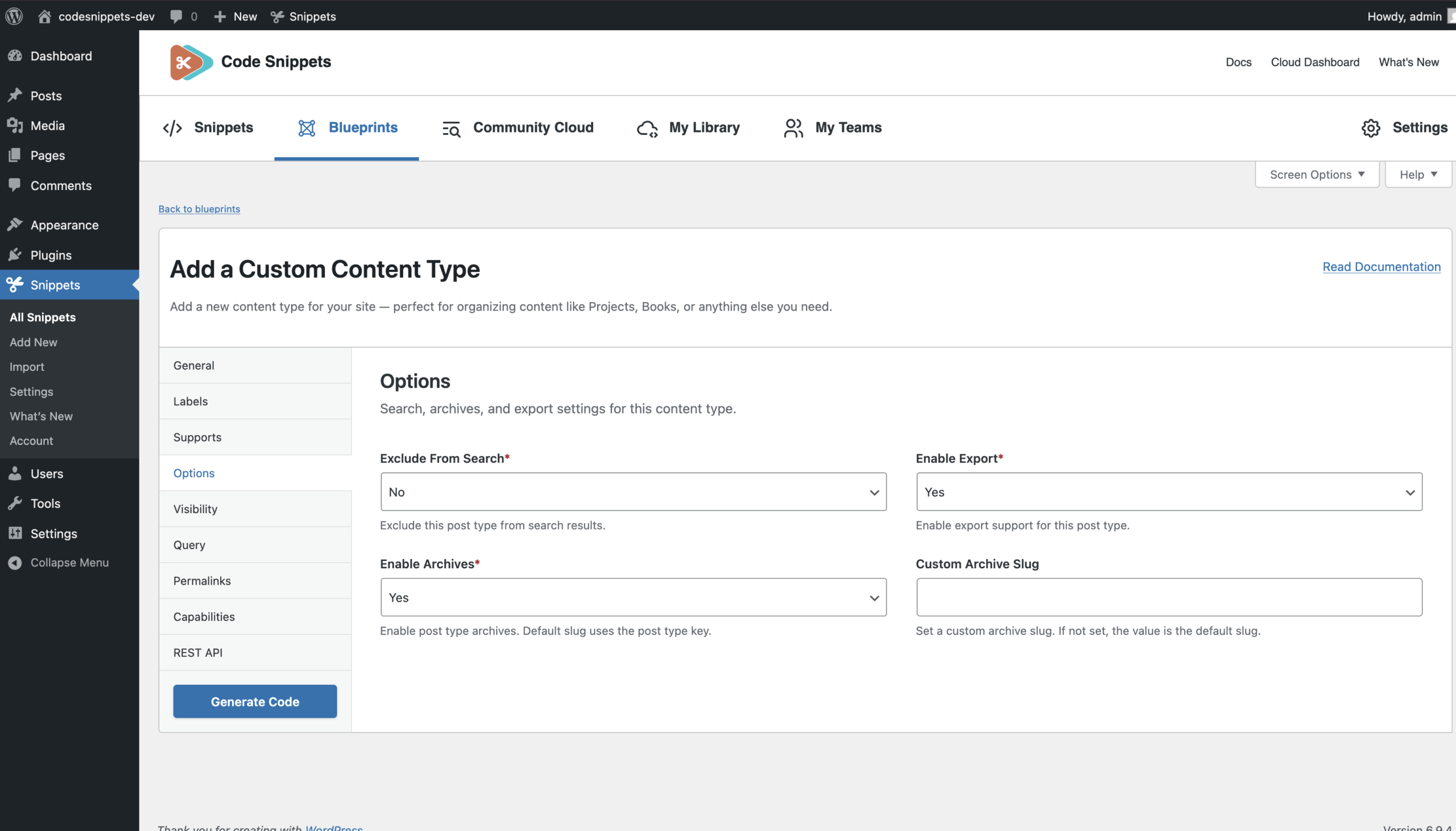
Exclude From Search (required)
Controls whether items appear in site search results.
Yes – Exclude this content type from search.
No – Include it in search results.
Enable Archives (required)
Creates an archive page listing all items of this type. Example: /projects/
What it affects – has_archive
Enable Export (required)
Controls whether items can be exported using WordPress export tools.
Yes – Content can be exported.
No – Exporting is disabled.
Custom Archive Slug (optional)
Defines a custom archive URL. Example: work
Archive URL: example.com/work/
If permalink settings change, remember to refresh permalinks.
Visibility
Controls where this content type appears in the WordPress interface.
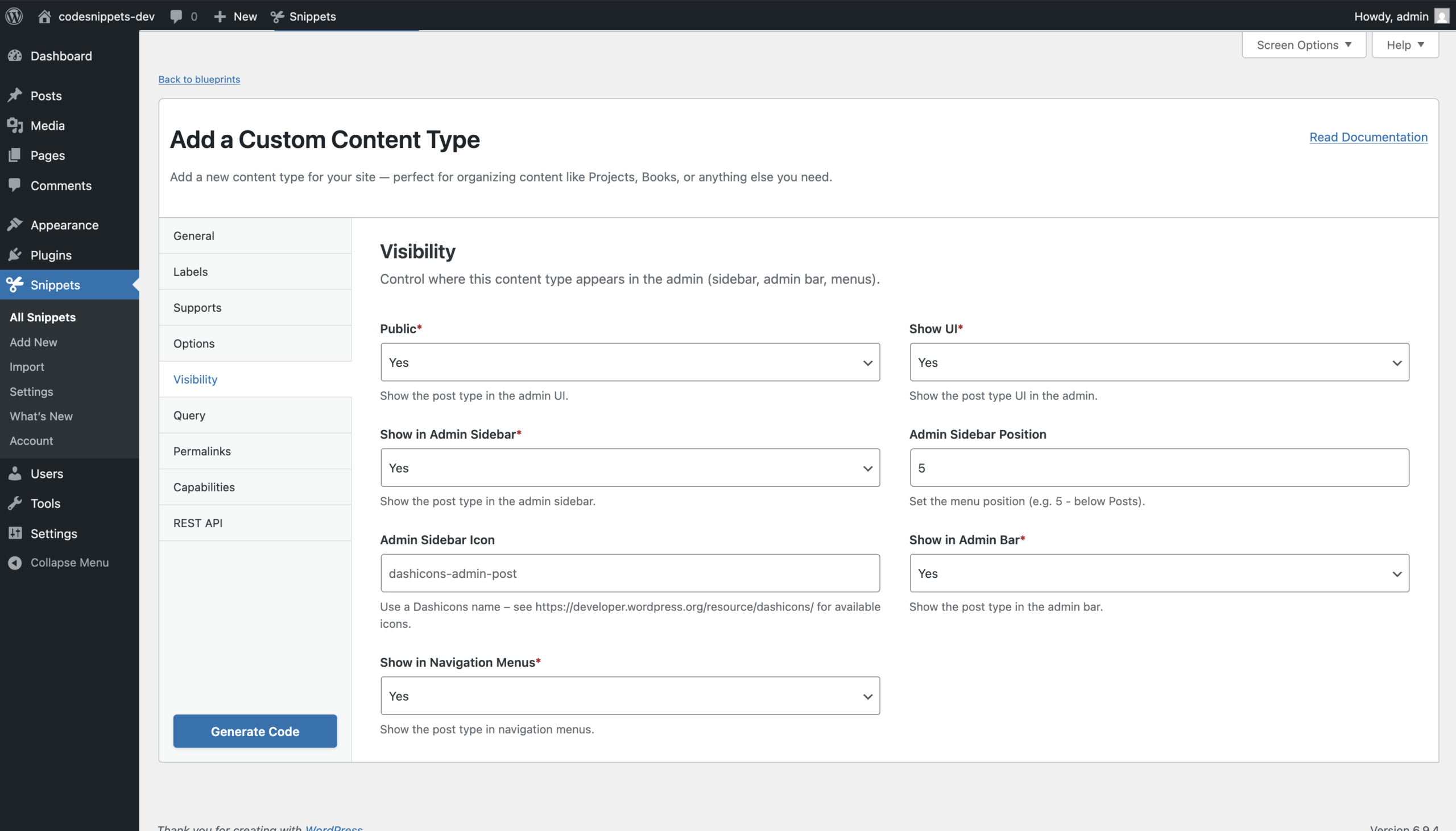
Public (required)
A high-level visibility setting used by WordPress to determine default behavior for several other options.
Show UI (required)
Determines whether WordPress shows an admin interface for managing this content type.
Show in Admin Sidebar (required)
Controls whether the content type appears in the WordPress admin menu.
Admin Sidebar Position (optional)
Numeric menu position.
Example: 5
Places the menu below “Posts”
Admin Sidebar Icon (optional)
Dashicons class or custom icon URL.
Example: dashicons-admin-post
Show in Admin Bar (required)
Determines whether the content type appears in the admin bar.
Show in Navigation Menus (required)
Controls whether this content type can be added to navigation menus.
Query
Controls how WordPress handles front-end queries for this content type.
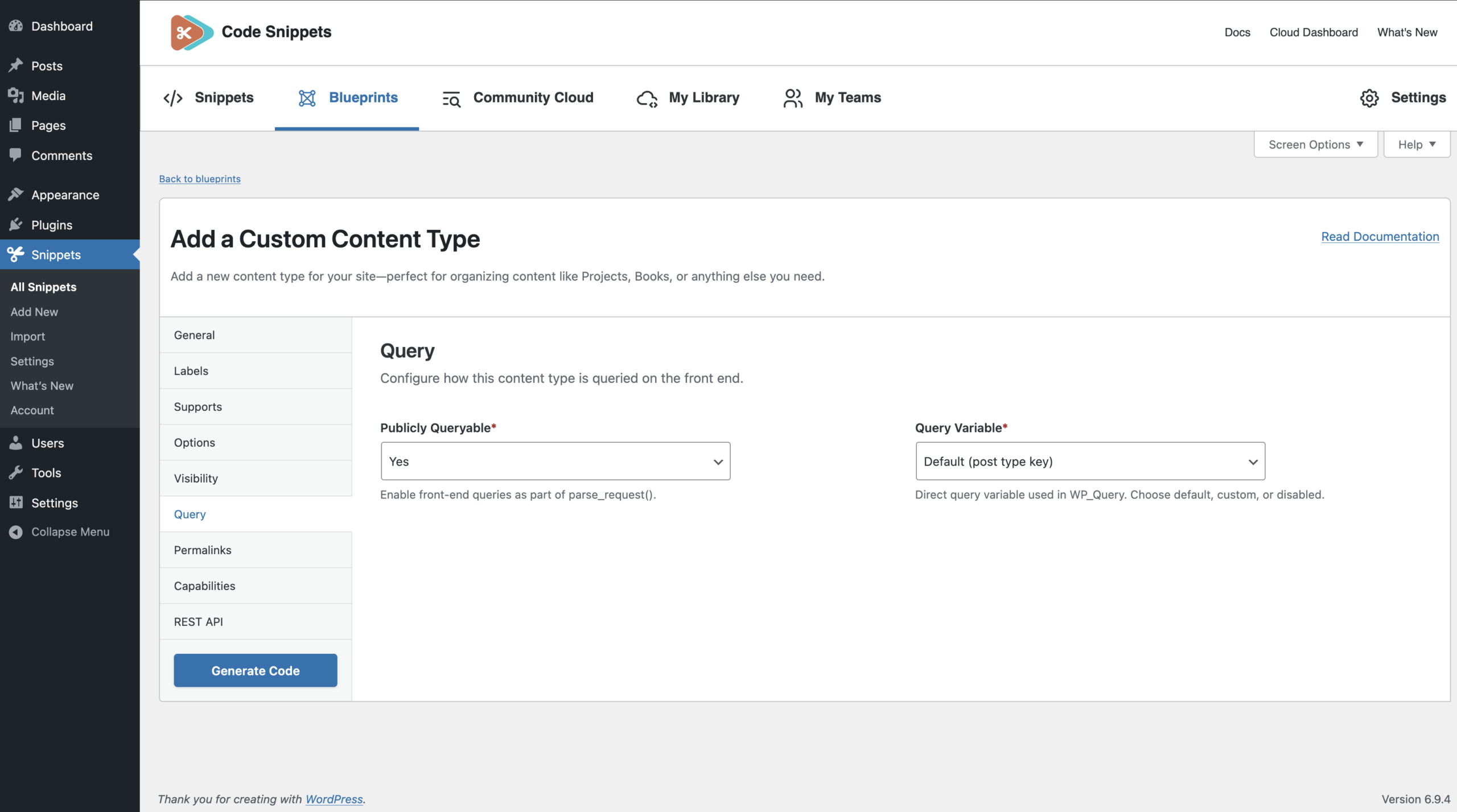
Publicly Queryable (required)
Determines whether WordPress responds to front-end requests for this content type.
Query Variable (required)
Defines how the post type can be queried.
Options:
- Default (post type key)
- Custom query variable
- Disabled
Custom Query (optional)
Used when **Query Variable** is set to **Custom**. Example: project
Must follow WordPress key rules:
- Lowercase letters only
- Numbers allowed
- Underscores (_) and hyphens (-) allowed
- Maximum length: 32 characters
- No spaces or special characters
Permalinks
Controls the URL structure for this content type.
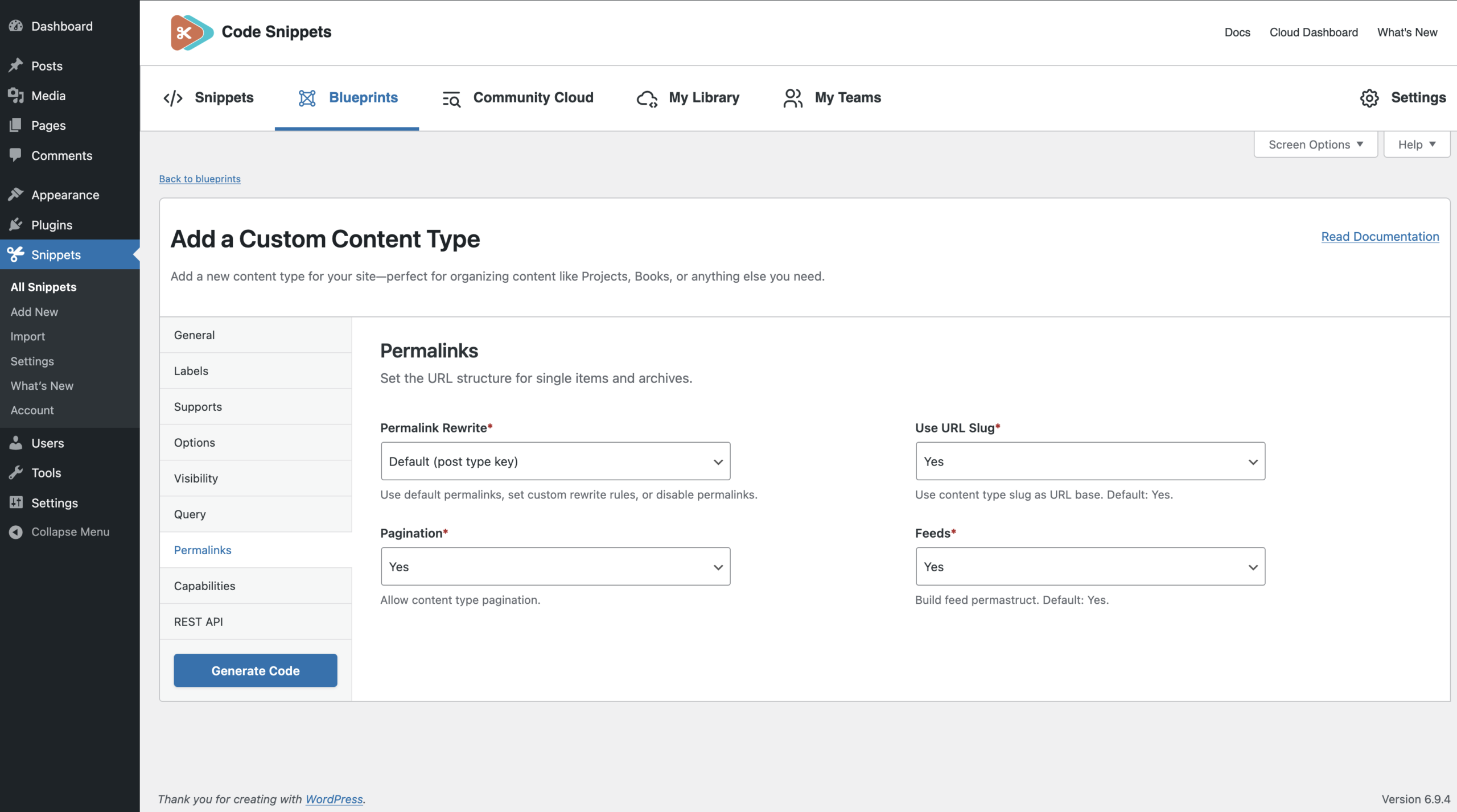
Permalink Rewrite (required)
Defines how WordPress generates permalinks.
Options:
- Default (post type key)
- Custom
- Disabled
URL Slug (optional)
Used when “Custom rewrite” is selected. Example: projects
Produces URLs such as:
example.com/projects/my-project/
Use URL Front (required)
Controls whether WordPress includes the site’s permalink prefix. Example: /blog/projects/my-project/
Corresponds to: rewrite.with_front
Pagination (required)
Allows paginated archive URLs. Corresponds to: rewrite.pages
Feeds (required)
Enables feed URLs for the archive. Corresponds to: rewrite.feeds
Capabilities
Defines who can create, edit, and delete this content type.
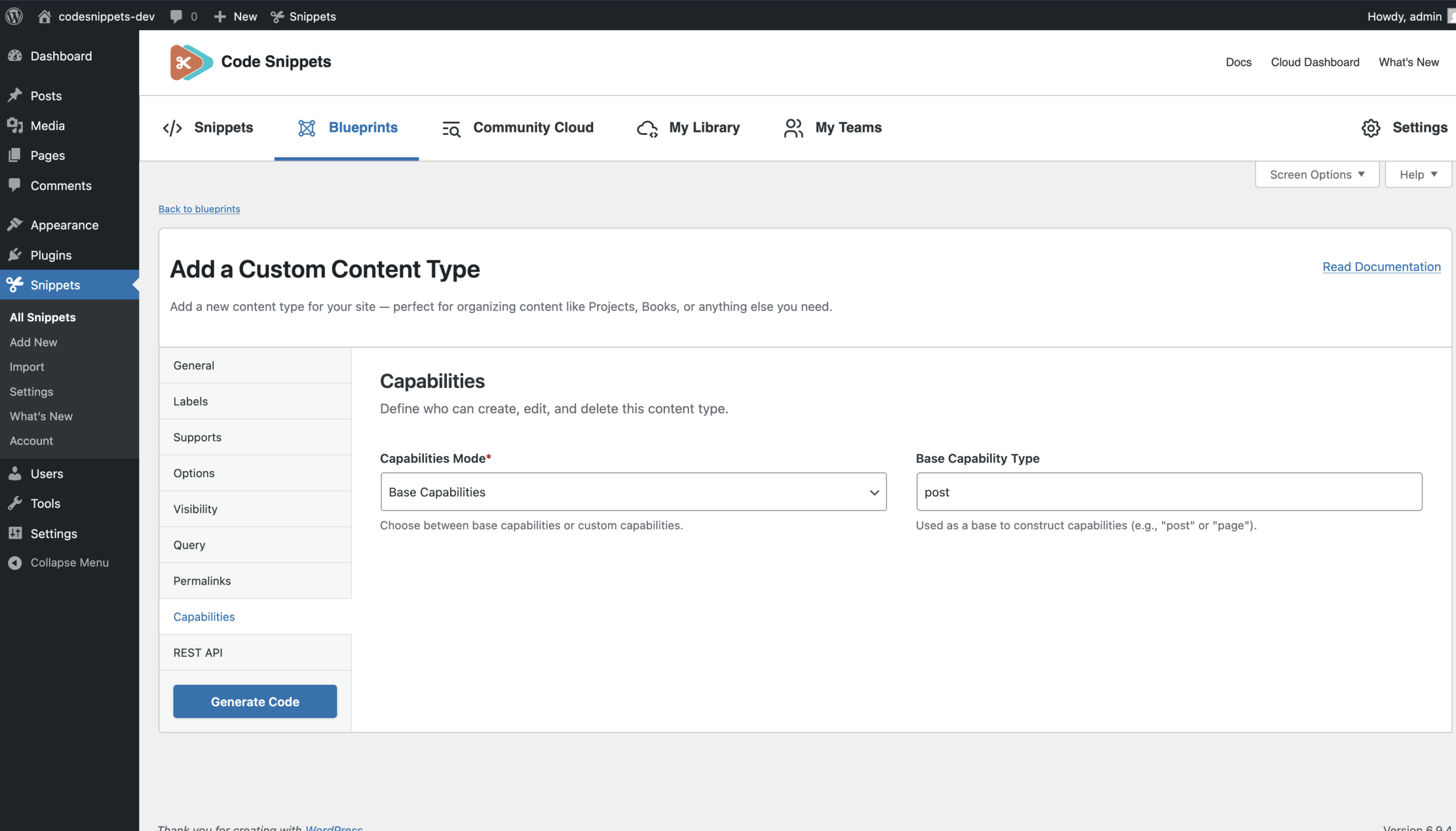
Capabilities Mode (required)
Two options:
Base Capabilities – Generate capabilities from a base type such as: post or page
Custom Capabilities – Define each capability individually.
Base Capability Type (optional)
Used when Base Capabilities mode is selected.
Example: post
Custom Capabilities (optional)
Used when “Custom Capabilities” is selected.
Fields include:
- Read Post
- Read Private Posts
- Publish Posts
- Delete Post
- Delete Posts
- Edit Post
- Edit Posts
- Edit Others’ Posts
Each value must be a valid WordPress key so it must follow WordPress key rules:
- No spaces or special characters
- Lowercase letters only
- Numbers allowed
- Underscores (_) and hyphens (-) allowed
- Maximum length: 32 characters
REST API
Controls whether the content type is available through the WordPress REST API.
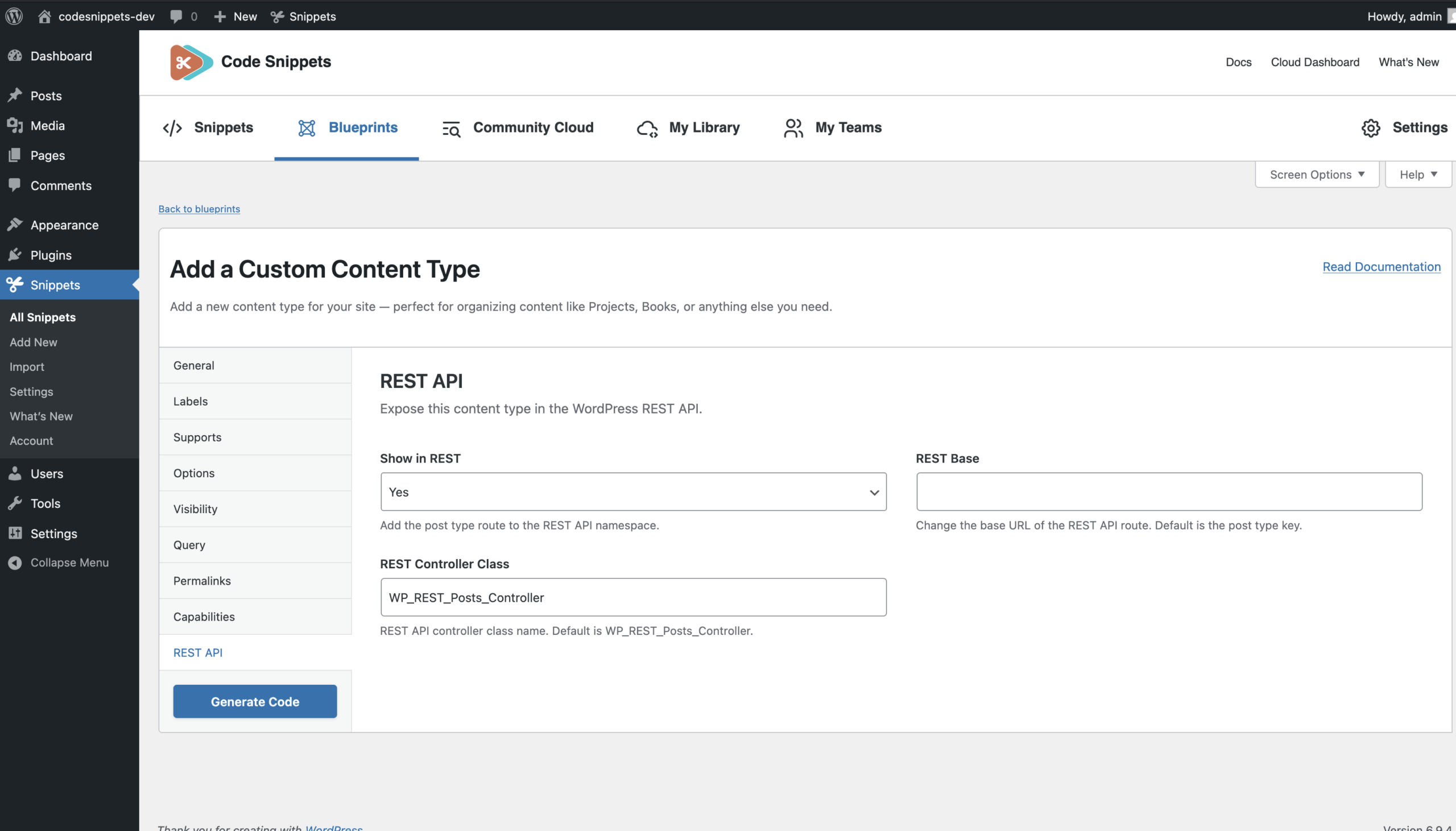
Show in REST
Enable or disable REST API support.
REST Base (optional)
Defines the REST route base.
Example: projects
REST endpoint: /wp-json/wp/v2/projects
REST Controller Class (optional)
Defines the controller class used by the REST API.
Example: WP_REST_Posts_Controller
Must be a valid PHP class name.
Common Setup Examples
Example 1: Public Portfolio (Projects)
Post Type Key: projects
Public: Yes
Show UI: Yes
Enable Archives: Yes
Permalink Rewrite: Default
Show in REST: Yes
Supports: Title, Editor, Featured Image
Creates a public content type with front-end pages and API support.
Example 2: Internal Content (Testimonials)
Post Type Key: testimonials
Public: No
Show UI: Yes
Publicly Queryable: No
Show in REST: Optional
Creates content managed in the admin but not publicly visible.
After Saving
Once saved, the generated code becomes a normal snippet. You can edit the snippet later to customize advanced behavior, modify labels, or adjust capabilities just like any other snippet.