
This Blueprint generates a PHP snippet that adds custom contact fields to WordPress user profiles using the `user_contactmethods` filter.
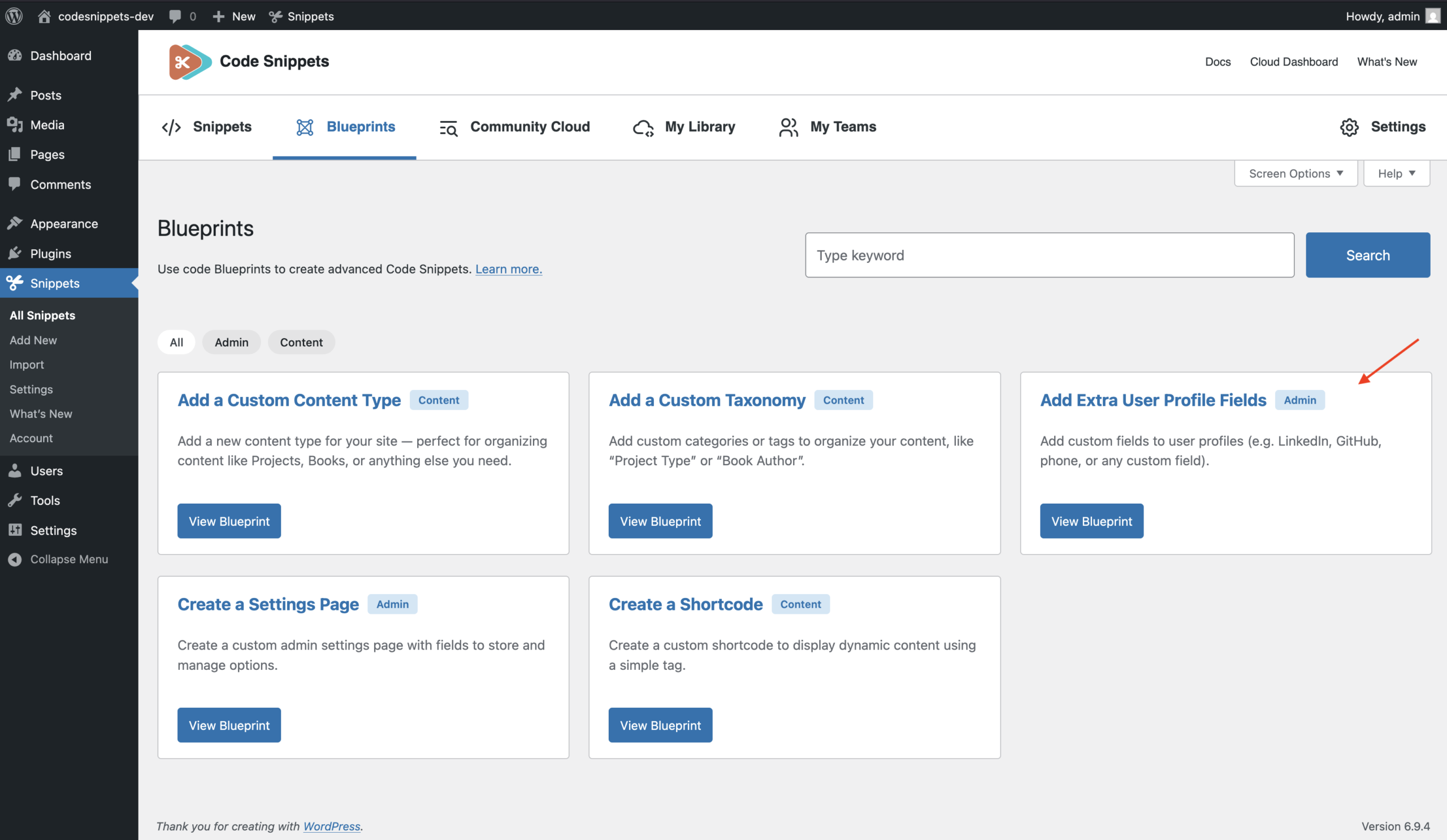
Use it when you want to add extra fields to the Edit User screen in the WordPress admin — for example “LinkedIn”, “GitHub”, “Phone”, “Twitter/X, or any other custom profile field.
The values are stored as user meta and can later be used in themes or plugins.
Before You Start
Try it immediately
This Blueprint includes a ready-to-use example configuration with a common profile field – “LinkedIn”.
If you generate the code and save it as a snippet without changing any fields, the plugin will add that fields to the WordPress user profile screen so you can test the feature immediately.
You can keep the default setup for testing, or edit the field list to create your own custom user profile fields.
Existing fields
WordPress already includes some built-in contact fields, such as the website field. This Blueprint adds more fields to the profile screen. It does not remove or replace the default ones.
Front-end usage
To display these values on the front end, use `get_user_meta()` with the field key you define in the Blueprint.
Example: get_user_meta( $user_id, ‘linkedin’, true )
In this example, `linkedin` is the field key.
Configuration
General
Basic settings for translation support.
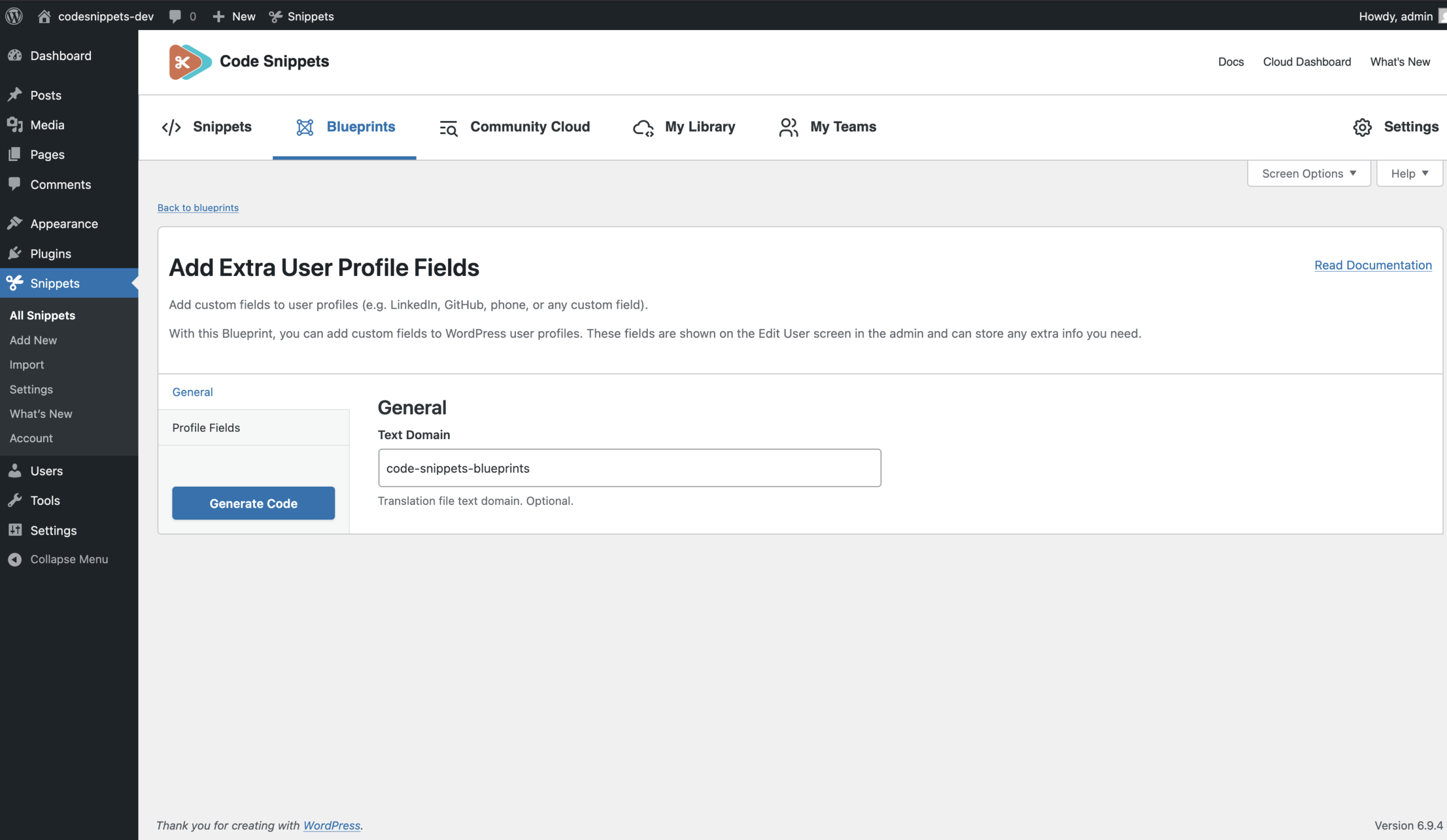
Text Domain (optional)
The text domain used for translating field labels. Example: my-plugin
When a text domain is provided, the generated code wraps each label in a translation function such as:
__( 'LinkedIn', 'my-plugin' )If left empty, labels are output as plain text strings.
Rules: Letters, numbers, underscores, or hyphens only
Profile Fields
This section uses a repeater, which means you can add one or more rows. Each row defines a single user profile field.
At least one row with both a Field Key and a Label is required.
Rows where both values are empty are ignored. If only one value is filled in, validation will fail and you will need to complete the missing field.
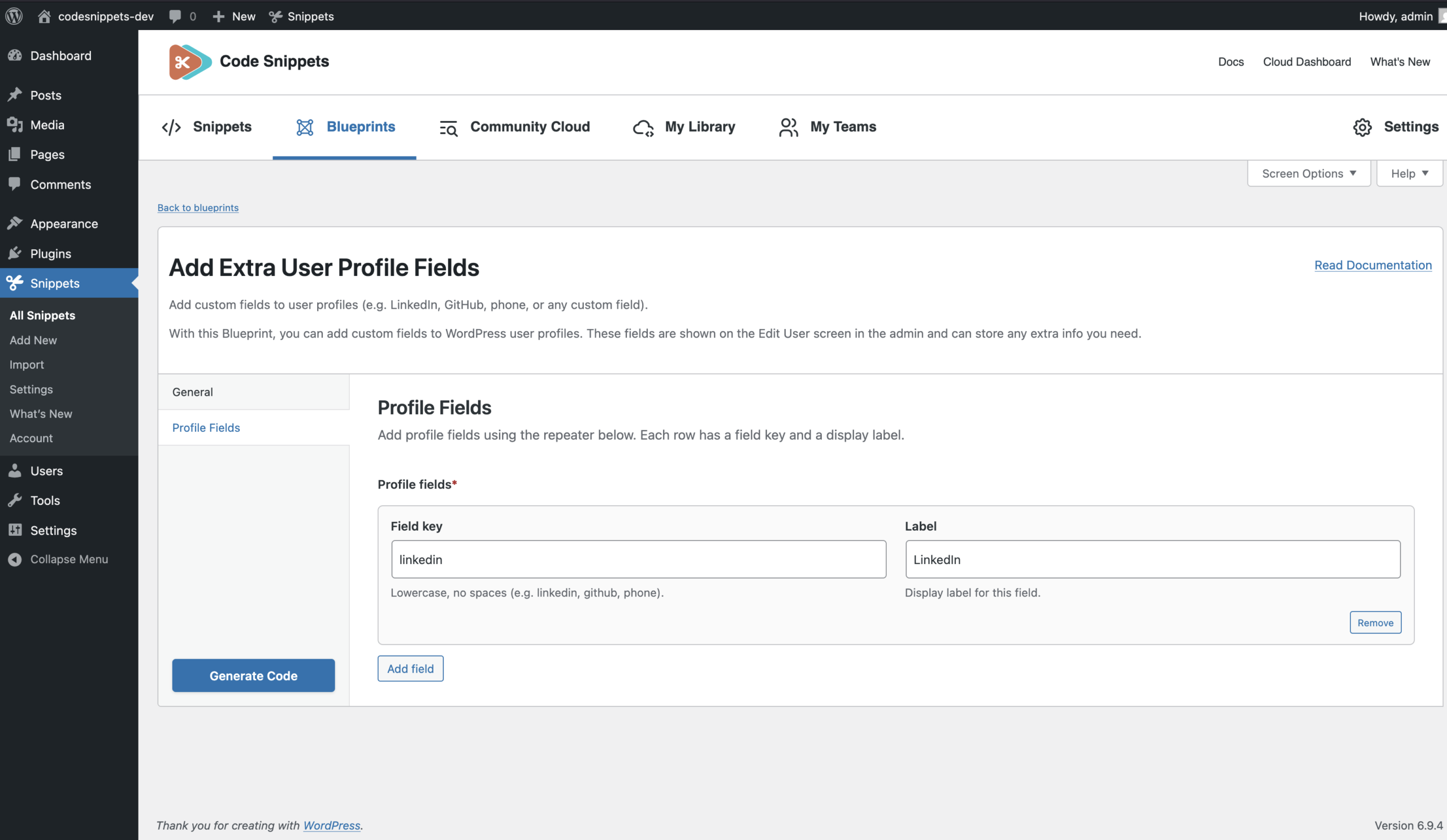
Field Key
The internal key used in code and in the database. This becomes the user meta key for the field. Examples: linkedin, github, phone, twitter
A WordPress key must follow these rules:
- Lowercase letters only
- Numbers allowed
- Underscores (_) and hyphens (-) allowed
- Maximum length: 32 characters
- No spaces or special characters
The field key is used:
- As the key added to the `$user_contactmethods` array
- As the user meta key used to store the value
For example, a field key of `linkedin` will store its value in user meta under `linkedin`.
Label
The text shown next to the field on the “Edit User” screen. This is the label users see in the profile form. Examples: LinkedIn, GitHub, Phone number
Rules
- Required when a Field Key is provided
- Maximum length: 255 characters
Common Setup Examples
Example 1: Social and Contact Fields
Profile fields:
linkedin → LinkedIn
github → GitHub
twitter → X (Twitter)
phone → Phone number
Use this setup when you want to add common profile and contact information for authors or team members.
Example 2: Single Custom Field
Profile fields:
website_alt → Alternate website
Use this setup when you only need one extra profile field.
Example 3: Team Directory Fields
Profile fields:
job_title → Job Title
department → Department
office → Office
extension → Extension
linkedin → LinkedIn
Use this setup for staff profiles, team directories, or internal user information.
After Saving
Once saved, the generated code becomes a normal snippet.
You can edit the snippet later to change labels, add more fields, or adjust the generated code just like any other snippet.