
This Blueprint generates a PHP snippet that registers a custom shortcode with WordPress.
The generated code defines a callback function (with a unique name), merges attributes with default values, optionally handles enclosed content and nested shortcodes, and returns the shortcode output.
Use this Blueprint when you want a simple tag such as: [greeting] or [greeting title=”Hello”] or even enclosing content like: [box]Content inside the shortcode[/box]
Shortcodes allow you to insert dynamic content anywhere in posts, pages, or widgets.
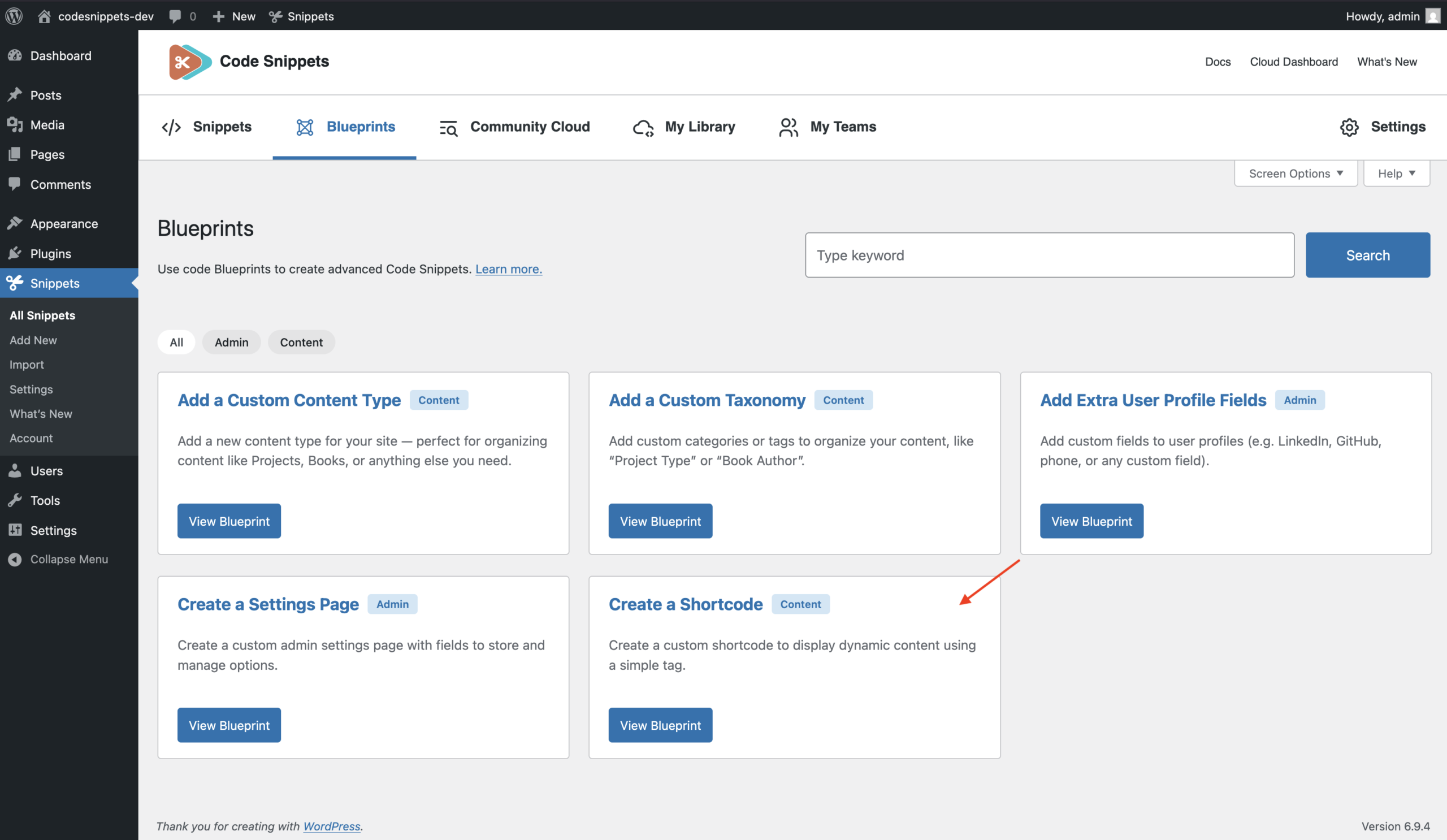
Before You Start
Shortcode tag uniqueness
Each shortcode must have a unique tag. The tag cannot be one of WordPress’s reserved shortcodes, including:
- embed
- wp_caption
- caption
- gallery
- playlist
- audio
- video
The Blueprint validates this automatically.
Configuration
General
Basic information about the shortcode and its callback function.
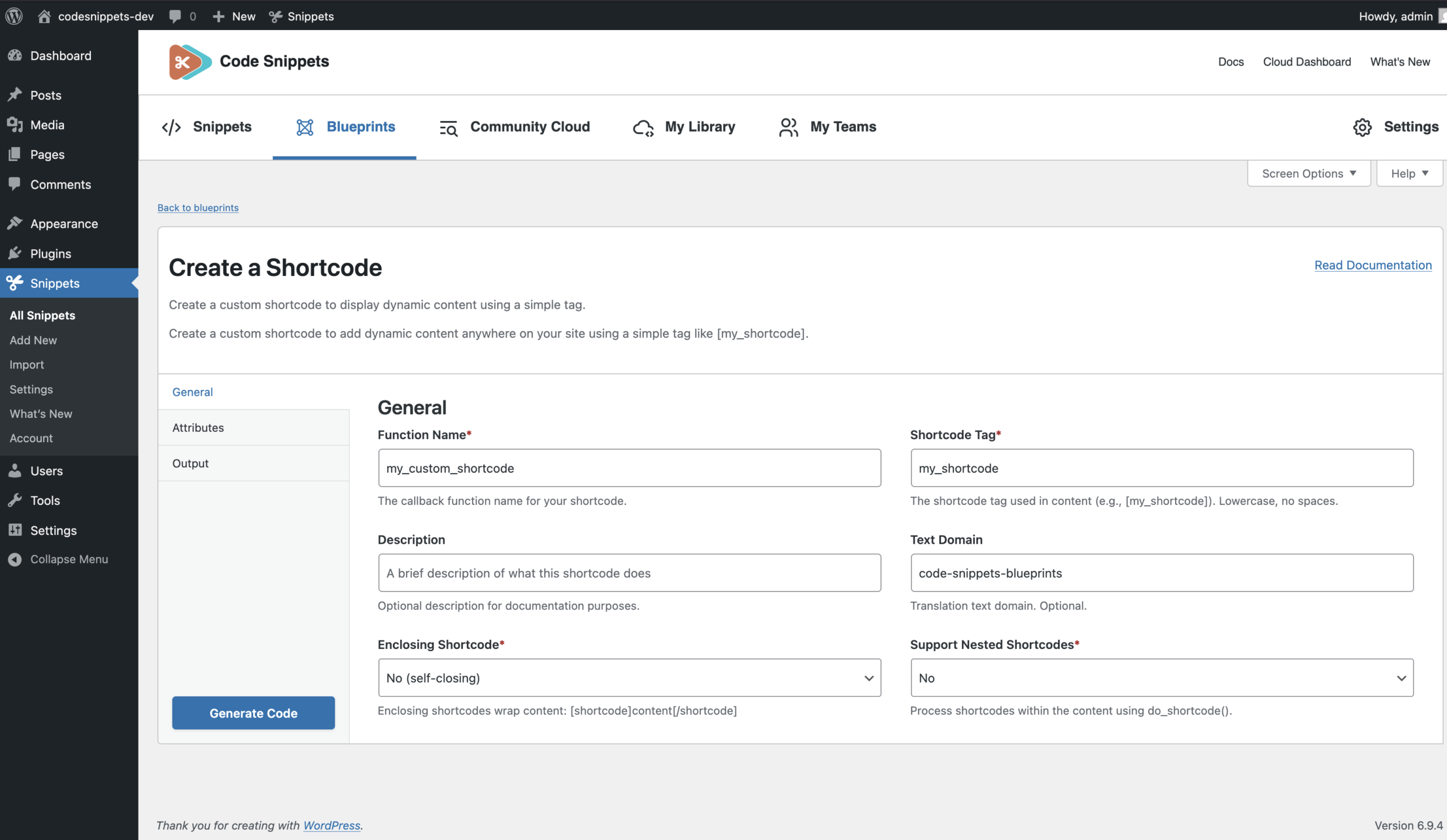
Function Name (required)
The name of the PHP function that will handle the shortcode. The generated code appends a unique suffix so multiple shortcode snippets don’t conflict (e.g. `my_custom_shortcode_abc123`).
Example: `my_custom_shortcode`
Rules: Must be a valid PHP function name (identifier).
Shortcode Tag (required)
The tag users type in content (e.g. `[my_shortcode]`).
Rules: Must be lowercase, start with a letter, and contain only letters, numbers, underscores, or hyphens. Example: `my_shortcode`, `recent_posts`
Description (optional)
A short description explaining what the shortcode does. Example: Displays a custom greeting with an optional title.
The description appears in the generated code’s header comment and helps document the snippet.
Text Domain (optional)
The text domain used for translation if your shortcode contains translatable text. Example: my-plugin
Rules: Letters, numbers, underscores, or hyphens only
Use this domain inside translation functions such as: __( ‘Text’, ‘my-plugin’ )
Attributes
Shortcode attributes allow users to customize the output.
Attributes are defined using a repeater, where each row defines one attribute. Attributes are optional — you can create shortcodes without attributes.
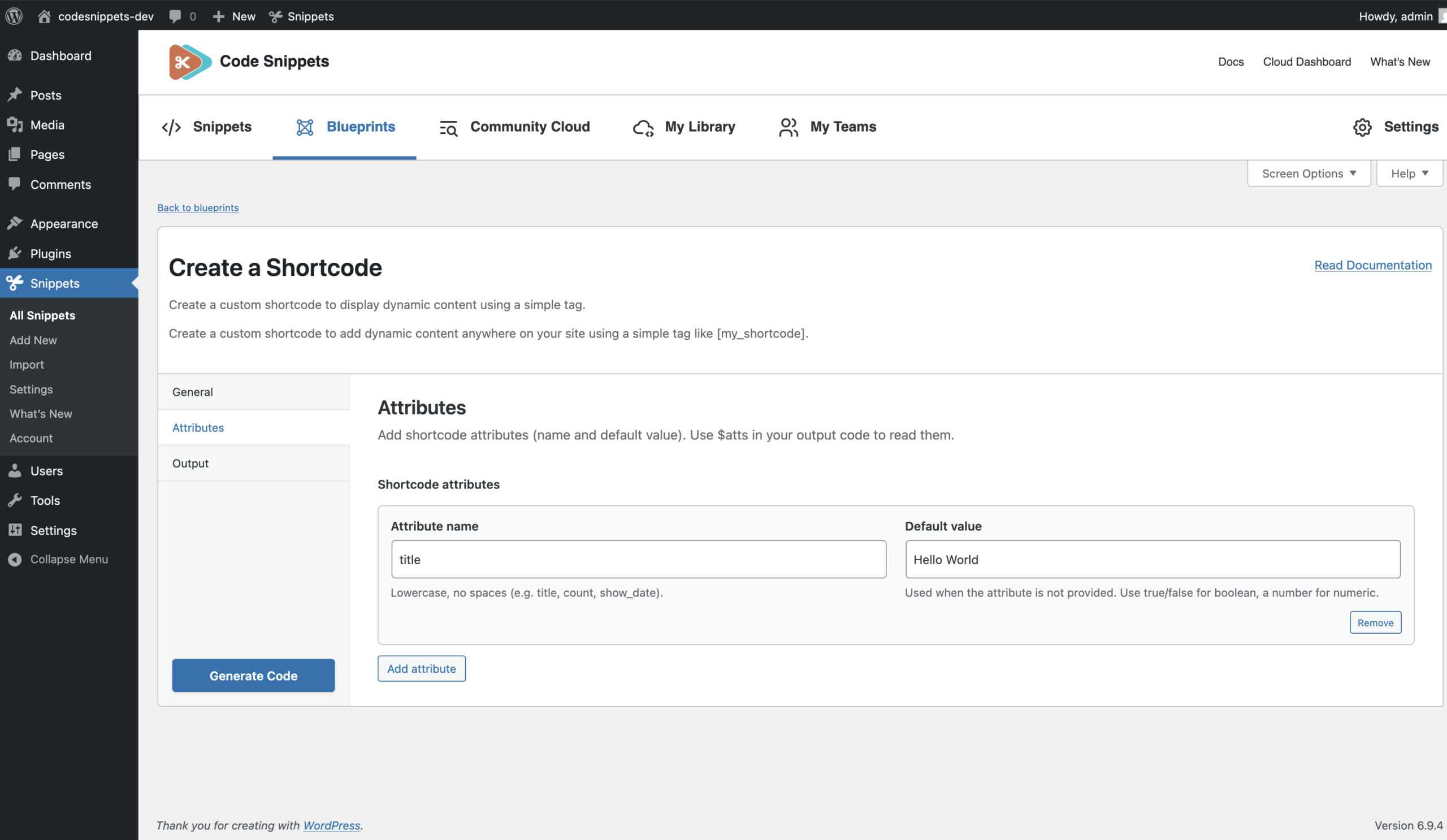
Attribute Name
The attribute key used in the shortcode. Example: title, count, show_date
Rules:
- Must be a valid PHP identifier
- Letters, numbers, underscores only
The attribute becomes a key in the `$atts` array.
After `extract( $atts )`, it is also available as a variable.
Example: $title or $count
Default Value
The value used when the attribute is not provided. Examples: Hello World, 5, true, false, …
Enclosing Shortcode (required)
Defines whether the shortcode supports content between opening and closing tags.
- Yes – Example: [box]Content inside[/box] The callback receives `$content`.
- No – Self-closing shortcode: [greeting]
Support Nested Shortcodes (required)
Determines whether shortcodes inside `$content` should be processed. This option only applies when “Enclosing Shortcode” is enabled.
- Yes – Nested shortcodes are processed using: do_shortcode( $content )
- No – Content is used as-is.
Output
Controls how the shortcode generates its output.
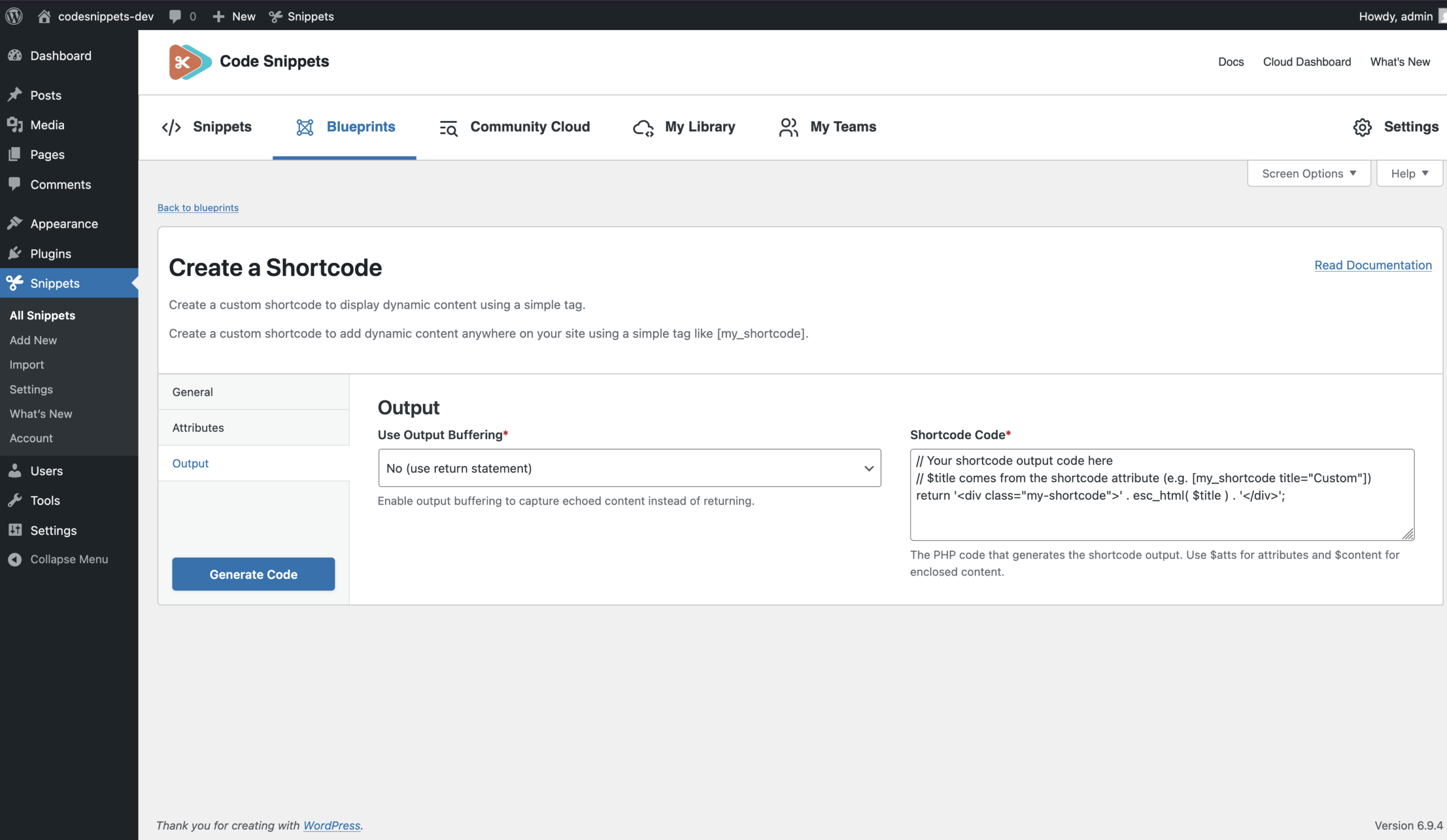
Use Output Buffering (required)
Defines how the shortcode output is produced.
- Yes – The generated code wraps your shortcode code in: ob_start() or ob_get_clean() Use this if your code outputs HTML using `echo` or `print`. Example: echo ‘<div>Hello</div>’;
- No – Your shortcode code must “return” a string. Example: return ‘<div>Hello</div>’;
Shortcode Code (required)
The PHP code that generates the shortcode output. This code runs inside the shortcode callback function.
You can use:
$atts → all shortcode attributes
$title, $count, etc. → extracted attribute variables
$content → enclosed content (if enabled)
Example (returning a string):
return '<div class="my-shortcode">' . esc_html( $title ) . '</div>';Example (using output buffering)
echo ‘<div class=”my-shortcode”>’;
echo esc_html( $title );
echo ‘</div>’;
Common Setup Examples
Example 1: Simple greeting shortcode
Shortcode Tag: greeting
Attributes:
- title → default “Hello World”
Use Output Buffering: No
Shortcode Code:
return '<p>' . esc_html( $title ) . '</p>';Usage: [greeting] or [greeting title=”Hi”]
Example 2: Enclosing shortcode container
Shortcode Tag: box
Attributes:
- class → default “box”
Enclosing Shortcode: Yes
Support Nested Shortcodes: Yes
Shortcode Code:
return '<div class="' . esc_attr( $class ) . '">' . $content . '</div>';Usage: [box]Some text [other_shortcode][/box]
Example 3: Template-style output
Use Output Buffering: Yes
Shortcode Code can contain multiple lines of HTML and PHP using echo statements. The generated code captures the output and returns it automatically.
Example 4: Multiple attributes
Attributes:
- title → default “Title”
- count → default “5”
- show_date → default “true”
Use these variables directly inside the shortcode code:
- $title
- $count
- $show_date
The Blueprint automatically handles the default values and type conversion.
After Saving
Once saved, the generated code becomes a normal snippet.
You can edit the snippet later to modify the shortcode logic, add attributes, or change the output just like any other snippet.