
Managing your subscription should be simple and stress-free! This guide explains how to cancel your Code Snippets Pro subscription, which is securely managed through Freemius.
Where Is My Subscription Managed?
Code Snippets Pro uses Freemius for billing and subscription management. This means you can manage your subscription through a dedicated customer portal provided after purchase.
If you’re unsure how to access it, check your inbox for your purchase or receipt email—it contains a direct link to your subscription settings.
How to Cancel Your Subscription
There are two easy ways to cancel your subscription:
Option 1: Through the Customer Portal
- Log in to your Freemius Customer Portal (click here) using the same email address you used to purchase Code Snippets Pro
- Go to Subscriptions.
- Locate your active Code Snippets subscription and click the arrow next to “Code Snippets”
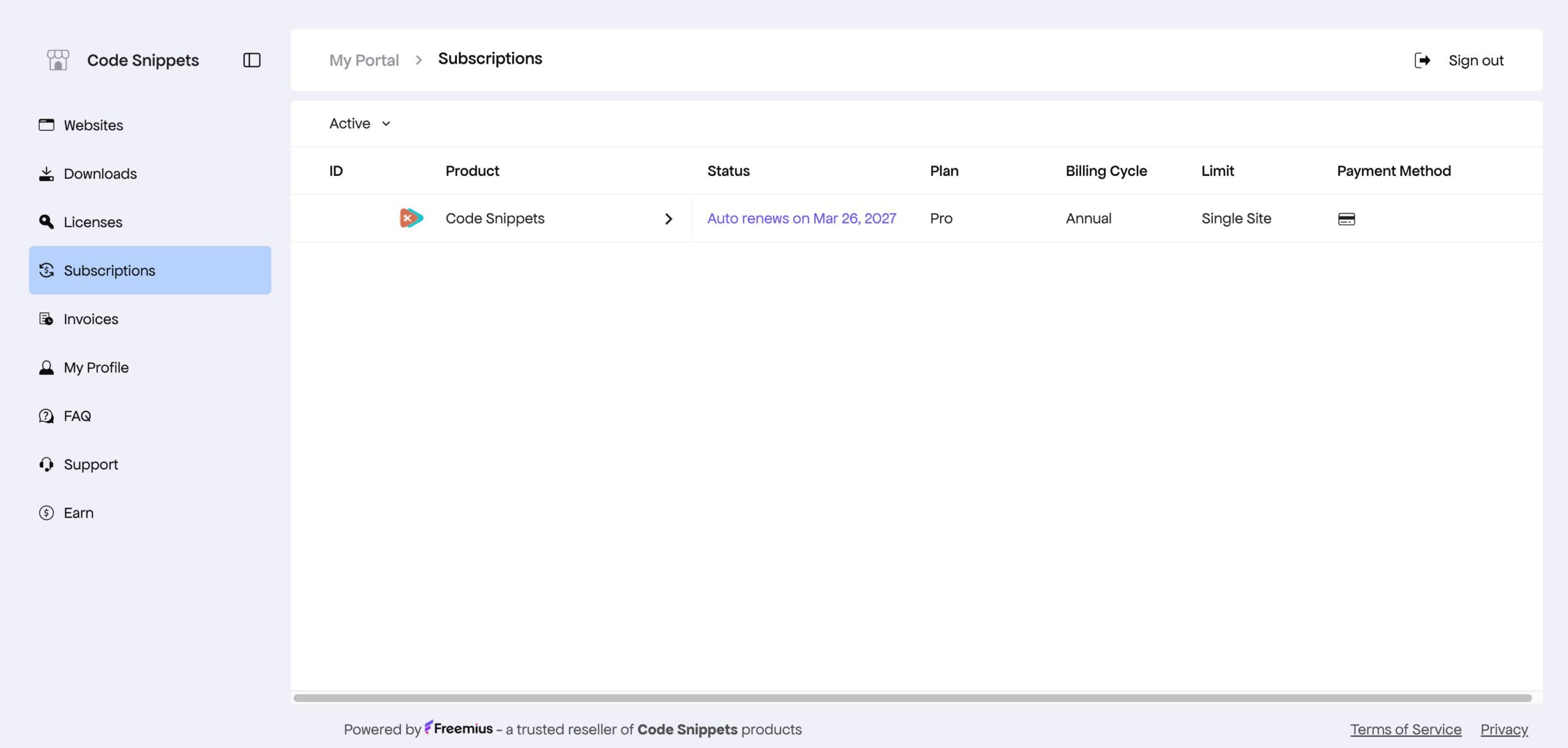
- A sidebar will appear on the right-hand side with all available actions, including:
- Upgrading the number of websites
- Upgrading to a lifetime license
- Canceling auto-renewal
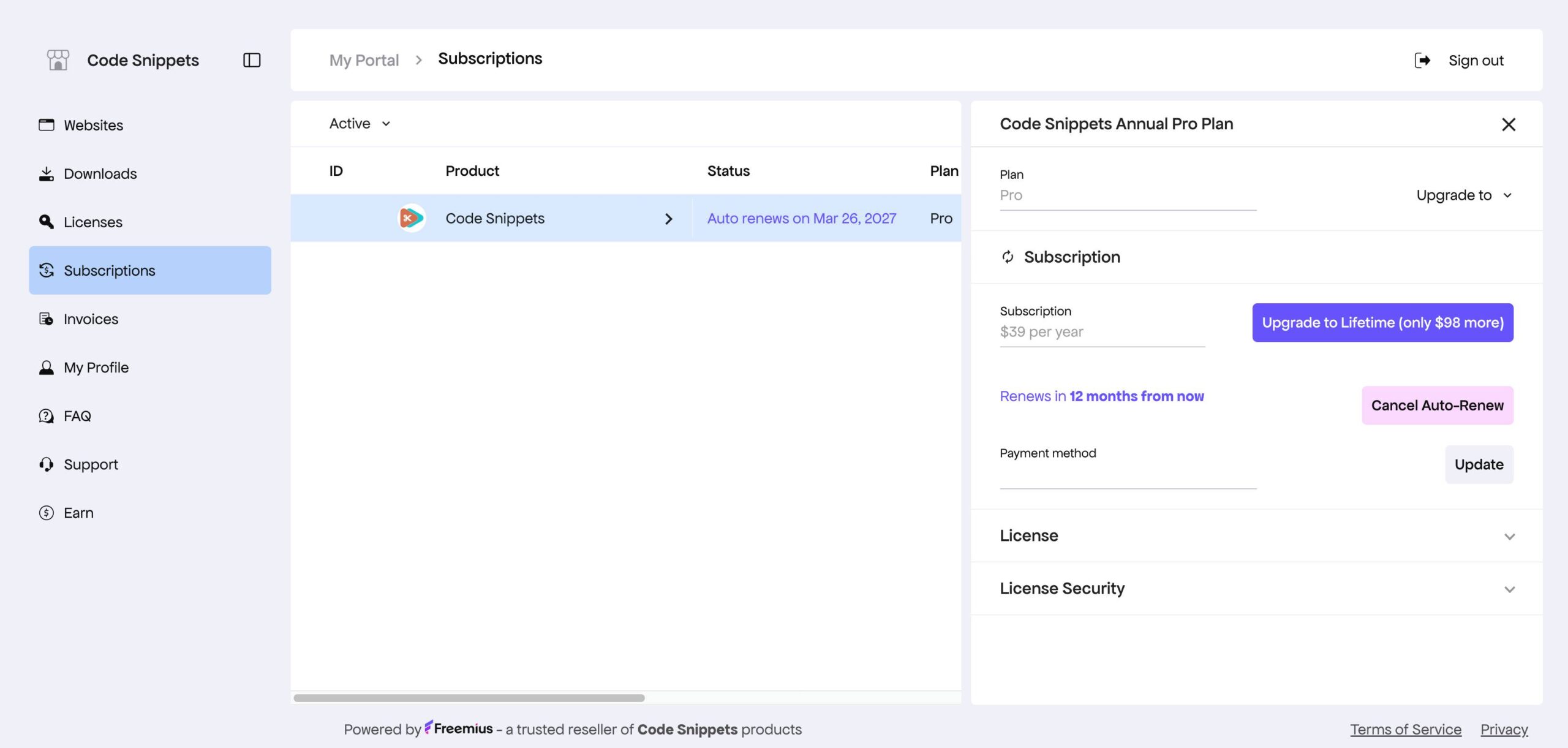
- Click Cancel Auto Renew and follow the confirmation steps.
Option 2: Using Your Purchase Email
- Find your original purchase or receipt email from Freemius.
- Click the “Manage Subscription” or “View Details” link included in the email.
- This will take you directly to your subscription dashboard.
- Locate Code Snippets and click the arrow next to its name.
- A sidebar will appear on the right-hand side with all available subscription actions.
- Click Cancel Auto-Renew and confirm your choice.
What Happens After Cancellation?
After canceling your subscription:
- You will not be charged again
- Your Code Snippets Pro license will remain active until the end of your current billing period
This ensures you can continue using the plugin until your subscription expires.
Trouble Accessing Your Subscription?
If you’re having trouble locating or accessing your subscription:
- Make sure you’re using the correct email address.
- Search your inbox for emails from Freemius.
- Try any alternate email addresses you may have used during purchase.
If the issue persists, feel free to contact our support team at [email protected]—we’re happy to help.