
If you’ve managed a WordPress site for more than a month, you know the pain. Your Media Library quickly becomes a graveyard of “Draft_v2” images, forgotten PDFs, and custom fonts from a redesign three years ago.
The problem? WordPress doesn’t reliably tell you what is safe to delete. Standard “cleaner” plugins are often bloated, risky, or—worse—require expensive API credits to scan your own files.
That changes now. With the Media Usage Scanner snippet, you get a high-performance audit of your images, fonts, videos, and PDFs without the bloat. 💎
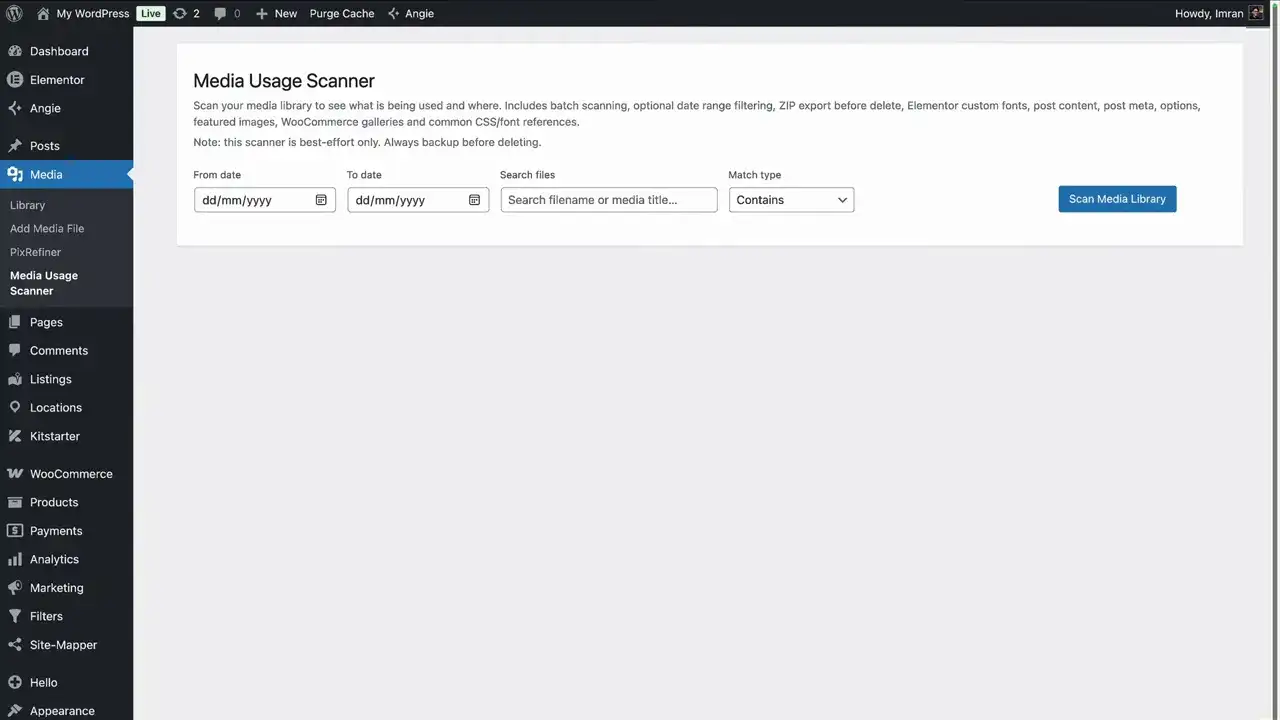
🧠 What the Media Usage Scanner actually does
Unlike “guess-based” tools, this scanner identifies exactly where a file is used across your entire site DNA. It tracks media hidden inside:
Post & Product Content: Standard layouts and WooCommerce stores.
Page Builders: Elementor templates, carousels, and flexbox containers.
Header Templates: Including those tricky SVGs.
Button Triggers: Finding the PDFs linked to buttons that standard scanners miss.
The “New Way” Advantage: This is a pure code snippet. No AI credits, no “metered” scanning, and zero background bloat. Just logic. 🏎️
⚙️ How it works: Batch scanning for large libraries
Huge libraries usually choke standard plugins. This scanner works in intelligent batches, meaning it stays fast even if you have thousands of assets.
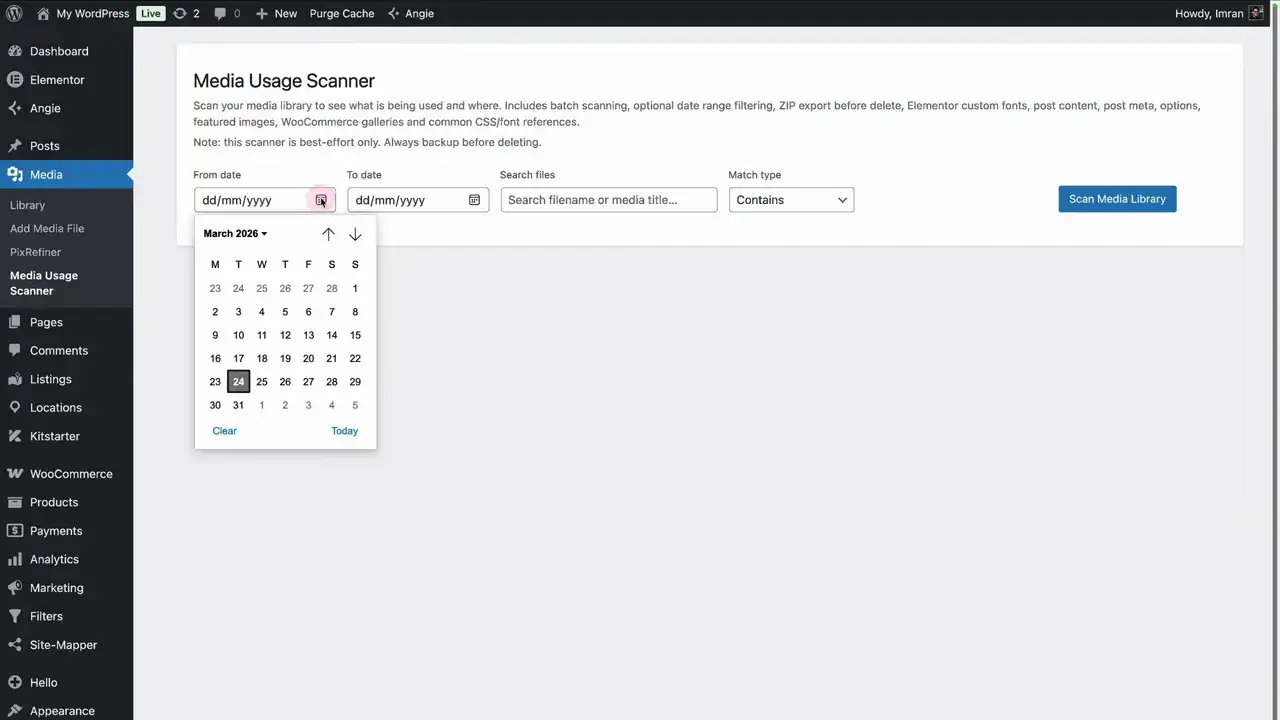
You can audit your entire library or use precision filters to focus your scan:
Date Ranges: Audit only what you uploaded this week.
Keyword Search: Want to see if “Imran-Headshot.jpg” is actually being used? Just type the name and scan.
📄 It’s not just for images
Most tools stop at JPEGs. This scanner looks deeper into your assets:
PDFs: Flags files attached to buttons, even if they aren’t “visible” on the page.
Videos: Detects files tucked inside video widgets and background containers.
SVGs & Fonts: Correctly identifies SVGs in your headers and custom fonts loaded via Elementor.
Pro-Tip: If you see a font marked “Unused,” double-check your Elementor Custom Font settings before hitting delete. The scanner is thorough, but font-naming conventions can be tricky. 🧷
🗑️ The Safety Net: Export before you Delete
We don’t believe in “Delete and Pray.” The Media Usage Scanner is built for professional workflows:
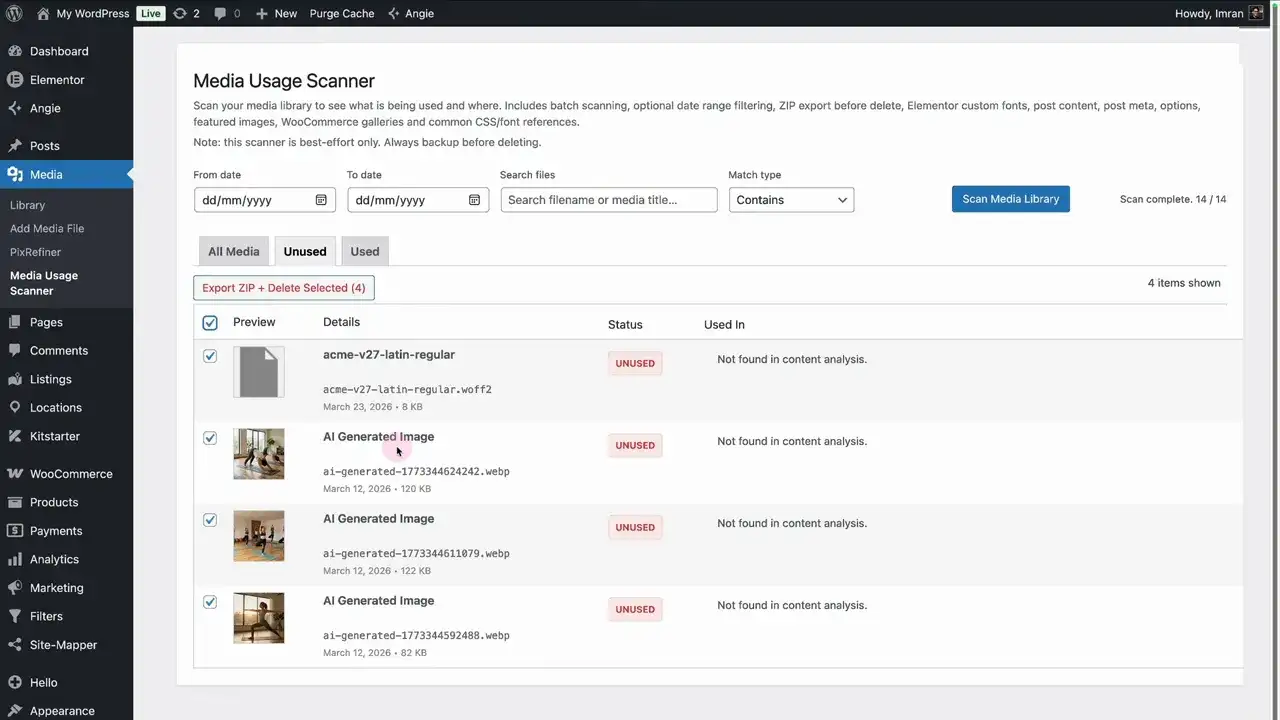
Locked Selection: The UI physically prevents you from selecting “Used” items. You can only delete what the scanner confirms is dead weight.
The Zip Backup: Before the deletion executes, the tool can export all unused items into a zipped backup.
The Result: Your Media Library is instantly lighter, and you have a safety fail-safe sitting in your downloads folder just in case. 🛡️✨
📌 How to set it up (The 60-Second Workflow)
- Download the Media Scanner snippet JSON.
- Import it into your Code Snippets Pro dashboard.
- Activate and head to Media > Media Usage Scanner.
- Audit, Export, and Clean. 🎯
A Big shout out to Imran Siddiq – Web Squadron for sharing this video.
❓ FAQ: The “New Way” to Clean Your Library
Can I only delete unused items?
Yes. The UI is built with a safety lock—you can only select items marked as “Unused.” This prevents accidental “site-breaking” deletions of active assets. 🛡️
Does this use AI or require API credits?
No. This is pure, local logic. Since it’s a code snippet, it runs on your server without needing external “metering” or extra costs. 💎
Will it find PDFs hidden in buttons?
Absolutely. Unlike basic scanners that only look at “visible” images, this logic tracks file URLs triggered by buttons and links, marking them as “Used” even if they aren’t on the front page. 📄
What if I delete something by mistake?
We’ve got you covered. Before any file is removed, the scanner offers to export a Zipped backup of the unused items. If you realize you needed that old font, just re-upload it from the zip. 📦
How does it handle Elementor Custom Fonts?
The scanner detects fonts configured within Elementor’s custom setup. However, always double-check your font naming before a mass delete, as some legacy theme fonts may be referenced in ways the database doesn’t “see” immediately. 🧷