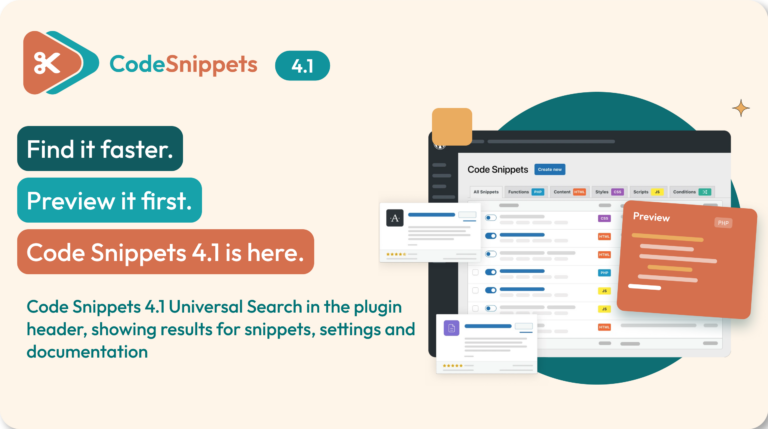
Code Snippets 4.1 helps you find things faster, track down custom code hiding elsewhere on your site, and test a draft while you edit.
Universal Search is in both Free and Pro. On top of that, Pro gets Unified Snippets, Live Snippet Preview, and smoother AI Agent and version switching.
What’s new in Code Snippets 4.1?
- Universal Search (Free and Pro): one search bar for snippets, settings, Stats, docs and Community Cloud.
- Unified Snippets (Pro): find custom code outside the plugin and choose what to import.
- Live Snippet Preview (Pro): run a draft before you save it or activate it for visitors.
- AI Agent improvements (Pro): edit starter prompts first and pick up your last conversation.
- Version switching (Free and Pro): clearer build labels and safer switching.
Universal Search: find anything from one bar 🔎
Available in Free and Pro
Universal Search sits in the plugin header and searches:
- Your snippets, by name and code
- Plugin settings
- Stats and the welcome screen
- Code Snippets documentation
- Community Cloud snippets
Move through results with your keyboard, or open the full results page.
On Pro, it also searches your connected Cloud Library. Plus, it shows performance and security insights where your site has that data. Security findings are advisory, though, not a guarantee that code is safe.
Unified Snippets: bring your custom code together 🧩
Available in Pro
Custom code tends to spread out across child themes, Additional CSS, plugin settings and page-builder layouts. Unified Snippets scans supported sources and shows what it finds in one place, including:
- Supported theme files and must-use plugins
- Customizer Additional CSS
- Supported plugin settings
- Post content and page-builder data
- Sampled rendered pages
Then you choose what to import. Each import becomes an inactive snippet, and the original code stays where it is. So check the original before you activate the copy, or the same code could run twice. For supported snippet managers, you can turn off the original in one step.
Code that can’t run as a snippet appears in a read-only View Only tab. After that, later scans show what’s new, changed or gone. A scan can’t promise to find every piece of custom code, but it gives you a clear starting point for a handover or code review.
Live Snippet Preview: test before you go live 👀
Available in Pro
Run a draft on a real page before you save it or activate it for visitors. First, pick a target in the Preview Snippet sidebar: the front page, a post, a page or an admin screen. The preview then refreshes when you pause typing and flags JavaScript warnings and errors.
Keep in mind that preview runs real code. Its restrictions can block WordPress-handled HTTP requests, emails, database writes and file writes. However, they won’t stop code that reaches those directly. So review code first, and use staging and a backup for anything risky.
This is different from the existing Preview button, which only shows the code without running it.
Also improved
AI Agent
Available in Pro
The AI Agent arrived in Pro 4.0, and 4.1 makes it easier to use. You can now edit a starter prompt before sending it, open the AI Agent from the Generate dialog, and pick up your last conversation in the same browser. As always, review generated code before you activate it.
Version switching
Available in Free and Pro
Builds now show clear labels for current, latest, beta and release candidate, plus the WordPress version each was tested up to. You’ll also see clearer warnings about using betas on live sites.
On Pro, the switcher lists the Pro builds your licence can use, checks downloads before installing, and recovers from a failed switch. Still, back up your site and export key snippets before you change versions.
Fixes worth knowing about 🛠️
Version 4.1 also fixes stale snippet lists, the Share with subsites setting on network snippets, long code lines pushing the sidebar out of view, slow remote services, Safe Mode URL handling, and permission checks for multisite imports and snippet-source shortcodes.
On Pro, Search with AI is back in Community Cloud, and shared CSS and JavaScript snippets now output correctly on subsites. For the full list, see the Code Snippets changelog on WordPress.org.
How to update to Code Snippets 4.1
Back up your site first. Then go to Dashboard → Updates and install the update for your edition.
Free users get 4.1.0 from WordPress.org. Pro users should look for the Pro update notice on their site. Pro updates need valid update access, and a free update won’t install Pro.
Once you’ve updated, check that your key snippets still work.
Want the extra Pro tools? Explore Code Snippets Pro.
Code Snippets 4.1 FAQ ❓
Is Universal Search included in the free plugin?
Yes. Both Free and Pro include Universal Search for local snippets and their code, settings, Stats, documentation and Community Cloud. Pro also adds connected Cloud Library search, plus insight entries where performance data or security findings exist.
Does Unified Snippets move all my custom code automatically?
No. It scans supported sources and lets you choose which eligible findings to import as inactive snippets. Importing doesn’t remove or disable the original. Review both copies before you activate the imported snippet.
Can I preview a snippet before activating it for visitors?
Yes, with Pro’s Live Snippet Preview. It runs draft code in an authenticated preview without replacing the saved snippet or activating a new snippet for normal visitors. Temporary preview data is stored, and the code can have real side effects, so review it first and use staging when appropriate.
Is Live Snippet Preview the same as the existing Preview button?
No. The existing code-preview modal shows the snippet’s code. Live Snippet Preview runs a draft on a supported target, so you can see how it behaves while you edit.
Is the AI Agent new in 4.1?
No. It was introduced in Pro 4.0. Version 4.1 adds a confirmation step where you can edit starter prompts, a shortcut from the Generate dialog, and restoration of an accessible conversation in the same browser.