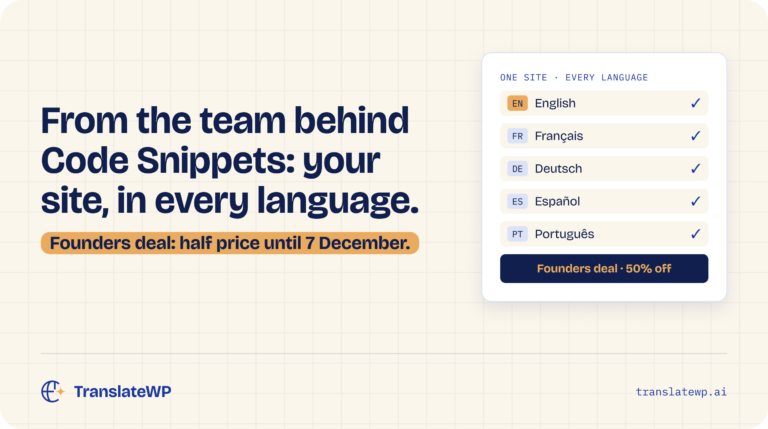
You know us for Code Snippets. Today we're introducing the newest plugin from our team: TranslateWP, a WordPress translation plugin that uses context-aware AI to put your site into every language your visitors speak. It covers unlimited websites and unlimited languages, and it never bills you by the word.
It's free to start on WordPress.org. And until 7 December, Orbital, the paid plan, is half price for founders.
Why we built a translation plugin 🧩
We've spent years building Code Snippets, which is trusted on more than a million WordPress sites. Along the way, one request kept coming up: help us go multilingual without the cost and the busywork.
The usual route is slow. Translate every page into every language before launch, pay by the word, pay again for each language you add, then make sure every translated copy gets updated whenever you change a page.
We thought that was the wrong way round, so TranslateWP works from your live pages instead.
How TranslateWP works ⚙️
Setup takes a few minutes:
- Install TranslateWP from WordPress.org.
- Connect your site with one click. There are no keys to copy.
- Let it read your site. TranslateWP suggests a description, style and tone to translate in, and you can change any of it first.
- Pick your languages from more than 500 languages and regional variants.
Your front page and menu pages are translated straight away. Every other page translates the first time a visitor opens it in a language, then loads from cache for everyone after.
Edit a page and every language follows. No copies to update, nothing going out of date.
What you get on the free plan 🎁
The free plan is called Terrestrial, and it's a real plan, not a trial:
- Unlimited websites and unlimited languages
- No word-count billing
- AI translation that reads whole passages in context, with names and brands kept as written
- The Lexicon, to set exactly how your product names and key terms are translated
- Tone presets, with formality and creativity controls
- A language folder URL, hreflang tags, a canonical tag and a translated title for every language
- A language switcher for every theme: floating, menu item, block, widget or shortcode
- Multisite tools in Network Admin
Your visitors' personal data stays on your site. Translatable page content goes to the TranslateWP service and its AI providers, but customer details, form submissions and order data are never sent.
What Orbital adds ⭐
Orbital is the paid plan, built for sites that want their own voice and to be found in every language:
- A faster, higher quality AI model
- A custom tone with advanced controls
- A front-end editor, so you can fix any sentence where it appears
- Translated meta descriptions, social previews, structured data and sitemaps, plus IndexNow pings
- Alt text written for images that have none, in every language
- An llms.txt summary and AI crawler controls
- Returning visitors see the language they chose last time
- A side-tab switcher and inline switcher placement
- Bring your own AI provider key
One Orbital purchase covers every site on your account, and it installs from inside TranslateWP with one click.
TranslateWP pricing 💳
| Plan | Price | Who it's for |
|---|---|---|
| Terrestrial (Free) | $0 | Any WordPress site going multilingual |
| Orbital (Pro) | $12 a month, $119 a year or $499 for life | Sites that want custom tone, on-page editing and full multilingual SEO |
| Universal (Agency) | Let's talk | Agencies that need an agreed AI allowance and support |
Every plan includes a 30-day fair-use AI allowance. There's no word-count billing and no per-language fee on any of them.
The founders deal: half price until 7 December ⏳
To celebrate the launch, Orbital is half price for founders:
| Founders price | Normal price | |
|---|---|---|
| Yearly | $59 a year | |
| Lifetime | $249 once |
The deal ends on 7 December. If you run more than one WordPress site, it goes further: one purchase covers every site on your account.
Getting started 🚀
- In your WordPress dashboard, go to Plugins > Add New.
- Search for TranslateWP, then click Install Now and Activate.
- Open TranslateWP, click Connect and follow the setup wizard.
Or download it from the TranslateWP page on WordPress.org. There's more on how it all works at translatewp.ai.
Questions Code Snippets users ask ❓
Is TranslateWP part of Code Snippets?
No. It's a separate plugin from the same team, and you don't need Code Snippets to use it.
Is the WordPress translation plugin really free?
Yes. Terrestrial is free, with unlimited websites and languages and no word-count billing. Every plan, free included, has a 30-day fair-use AI allowance.
What happens when I edit a page?
The translation follows your edit, so no language goes out of date.
Will it slow my site down?
Your front page and menu pages are prepared during setup. Other pages wait for their translation on the first visit in a language, then load from cache.
Does it work on WordPress Multisite?
Yes. Multisite tools are in the free plan, so you can connect and manage every subsite from Network Admin.
How long does the founders deal last?
Until 7 December. After that, Orbital returns to $119 a year or $499 for life.