This is the biggest release in Code Snippets history. Not the biggest since last year. The biggest, full stop.
Code Snippets 4.0 rethinks how you write custom code, review it, measure it and roll it out across your sites. So here’s everything that’s new, and what it changes about the way you build.
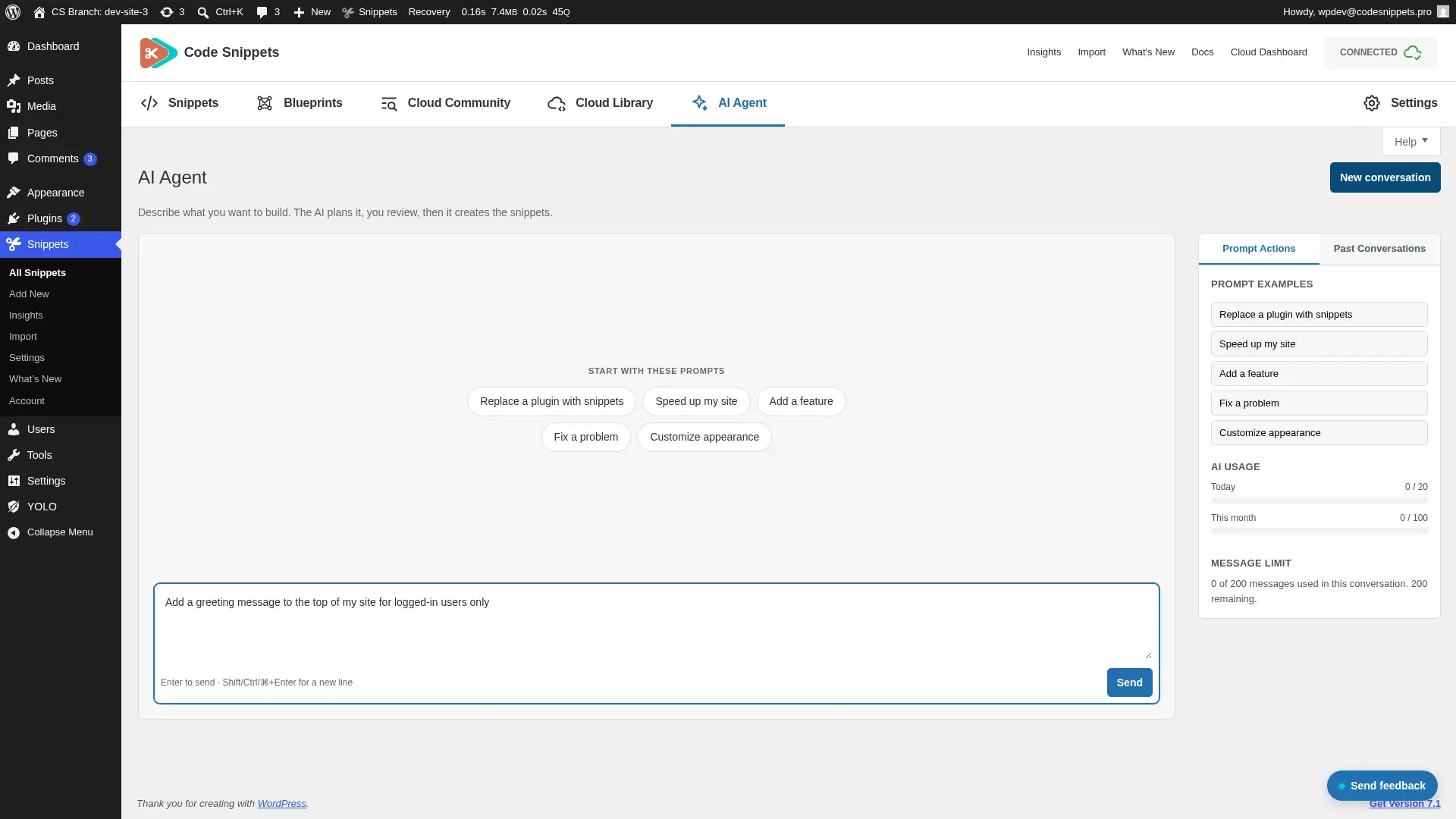
The AI Agent plans before it writes🤖
Most AI tools start writing the moment you ask. But the Code Snippets AI Agent doesn’t. Describe what you need in plain language, and it proposes a plan first. Then you refine that plan or approve it, and only after that does it write a line.
New snippets arrive inactive, so nothing runs until you’ve read it. Then you can preview the code, select a snippet and ask for changes, or pick up an earlier conversation from the history. If you’re not sure how to begin, starter prompts get you moving. And when it helps, you can share your library and site environment as context.
It sits on the Snippets screen as its own tab. Because there’s a visible usage quota and a message limit per conversation, you always know where you stand. And your site’s cloud credential never leaves the server, since every request travels through a REST proxy on the site itself.
That plan-first step is the whole point. You see what’s about to happen to your site before a single line exists, which is how working with AI on a live business should feel.
Revisions: every save, one click from restoring🕘
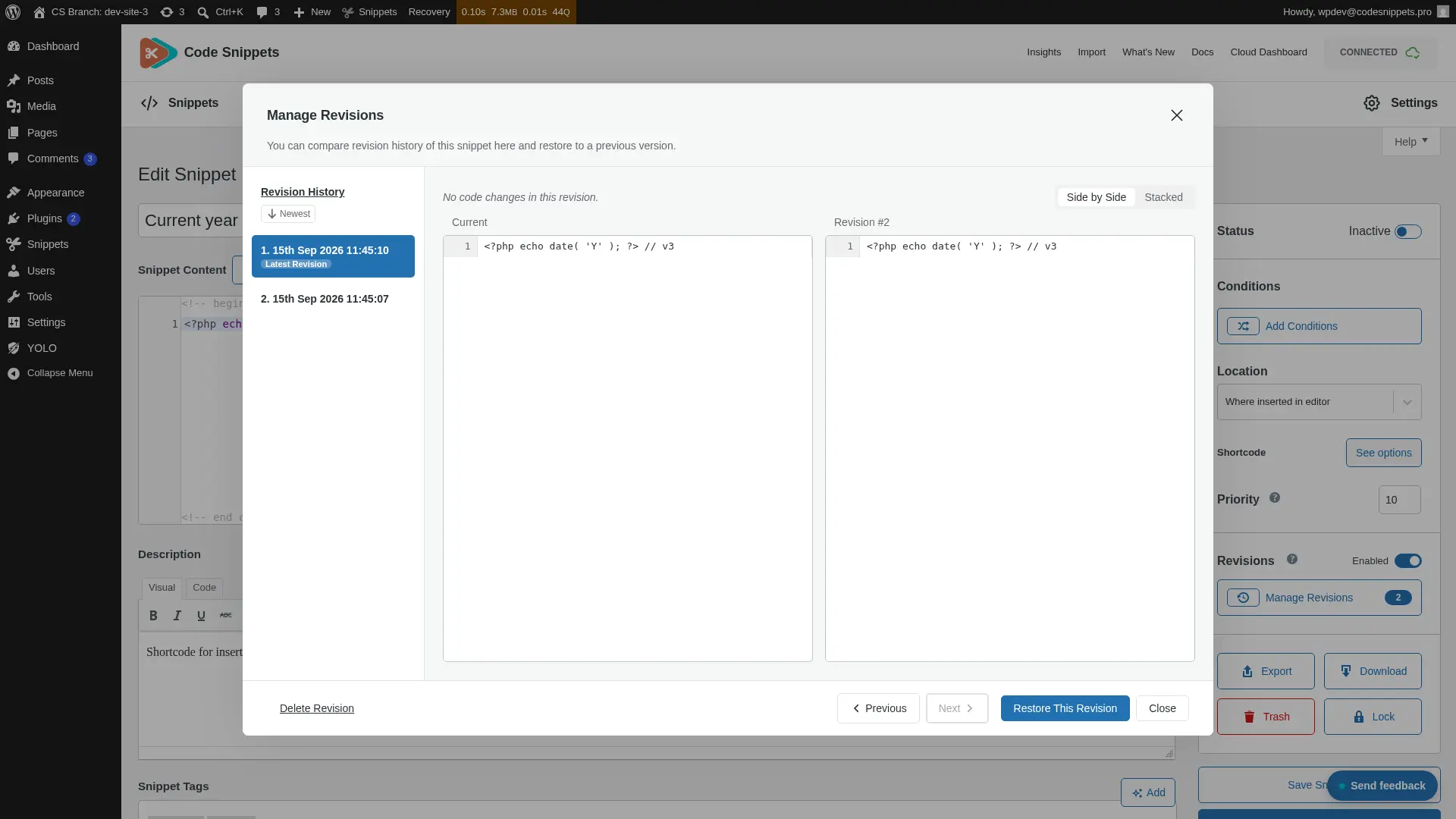
Every time you save a snippet, 4.0 stores a revision. So the editor sidebar now carries a revision history panel, with a side-by-side diff, change navigation and a timeline. You can see exactly what moved between versions.
Found the version you want? Then restore it with one click. You can also delete individual revisions, cap how many each snippet keeps, or switch revisions off entirely, either globally or one snippet at a time.
Deletion got a thoughtful touch too. When you permanently delete a snippet that has revisions, a dialog asks whether to remove them or keep them as a backup. It can remember your answer, and a site-wide setting keeps revisions by default.
That edit that broke things at 5pm on a Friday? It stopped being a crisis. It’s a button now.
Insights: what your snippets actually cost you 📊
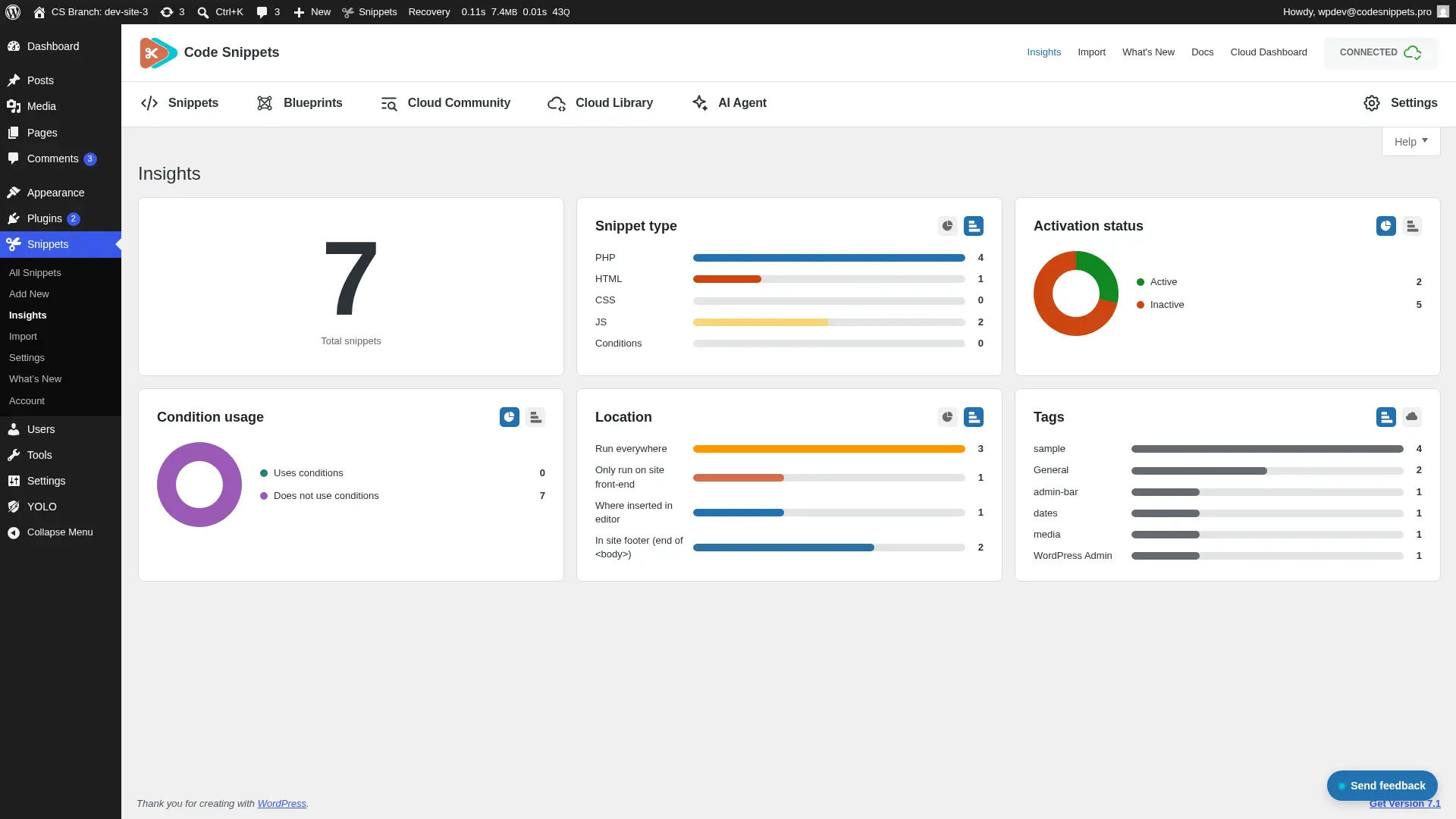
This is the part nobody expected. Code Snippets 4.0 adds a whole Insights screen, which turns your library into something you can actually read.
See the shape of your library
Charts break down active and inactive snippets, the split by type, where snippets run, and how you use conditions across the site. There’s a tag cloud view too. Each chart switches between views, and the plugin remembers your choice per user.
Find out which snippets are slow
Switch performance tracking on, then the plugin times every PHP snippet as it runs. It records the last run, the maximum, and a moving average across requests. And when a snippet’s code changes, its stats reset, because old numbers for new code would only mislead you. You can reset one snippet or all of them whenever you like.
Catch risky code before it ships
When you save a PHP snippet, 4.0 now scans it for risky patterns, including uses of eval(). Then it rates each finding high, medium or low, and gives you the line number and an excerpt, so you can go straight to it.
But findings stay advisory. They never block a save, because you know your code better than a scanner does. So dismiss anything that’s a false alarm, or rescan the whole library when you want a fresh picture.
All of it, right on the snippets table
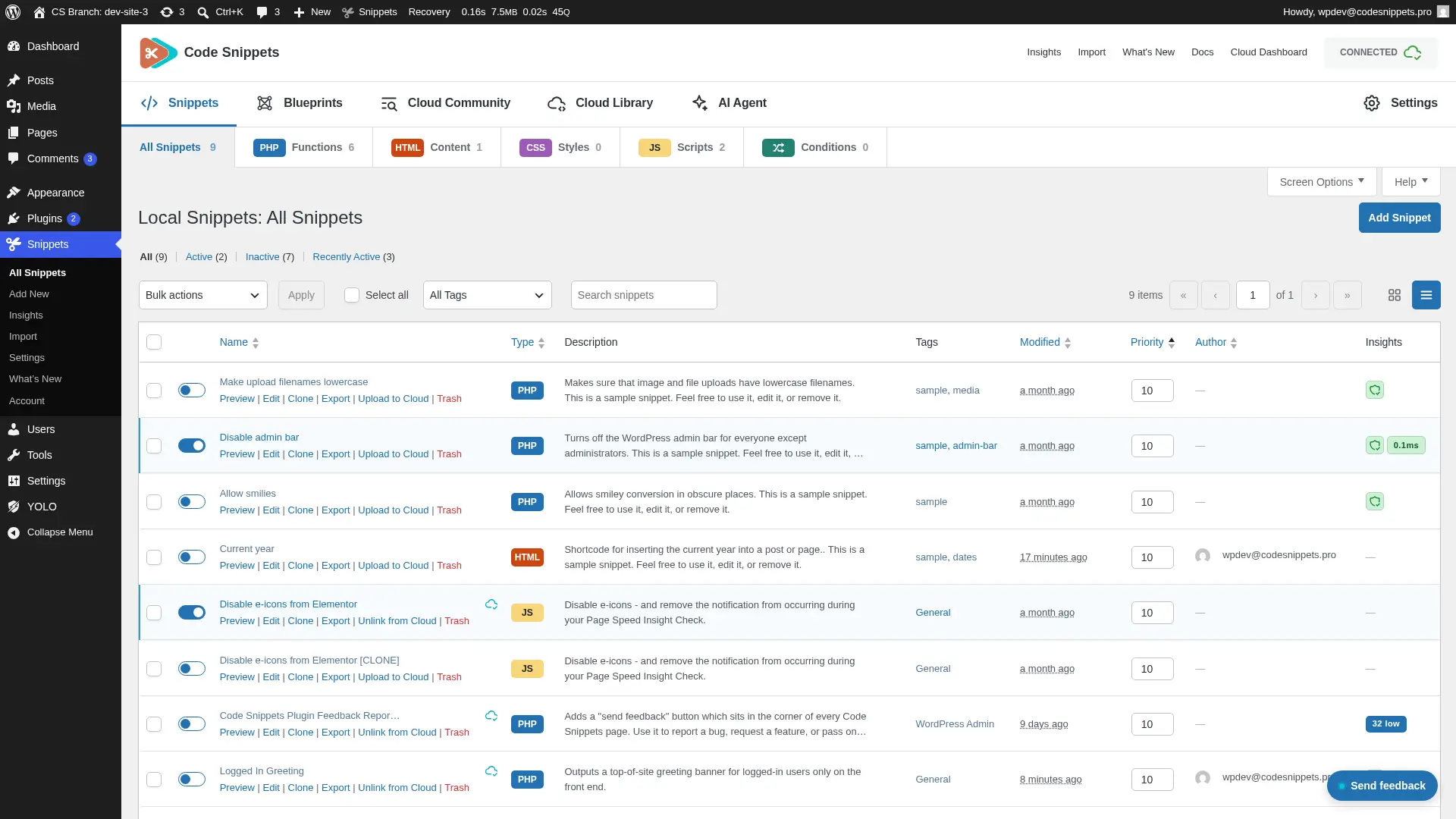
You don’t have to open Insights to benefit from it. The All Snippets table has an Insights column, and snippet cards carry the same data. Pills show average run time, tinted when a snippet runs slow, next to the worst open security severity. If a snippet has no findings, it earns a Secure snippet badge. Then click any pill for the full timing data in a modal.
Control: where snippets run, and who can touch them🎯
Three additions turn snippets from code you activated into code you govern.
- Display conditions. Control where and when a snippet runs without writing the checks by hand.
- Snippet locking. Protect important snippets from accidental edits or deletion. Props to community contributor mgiannopoulos24 for this one.
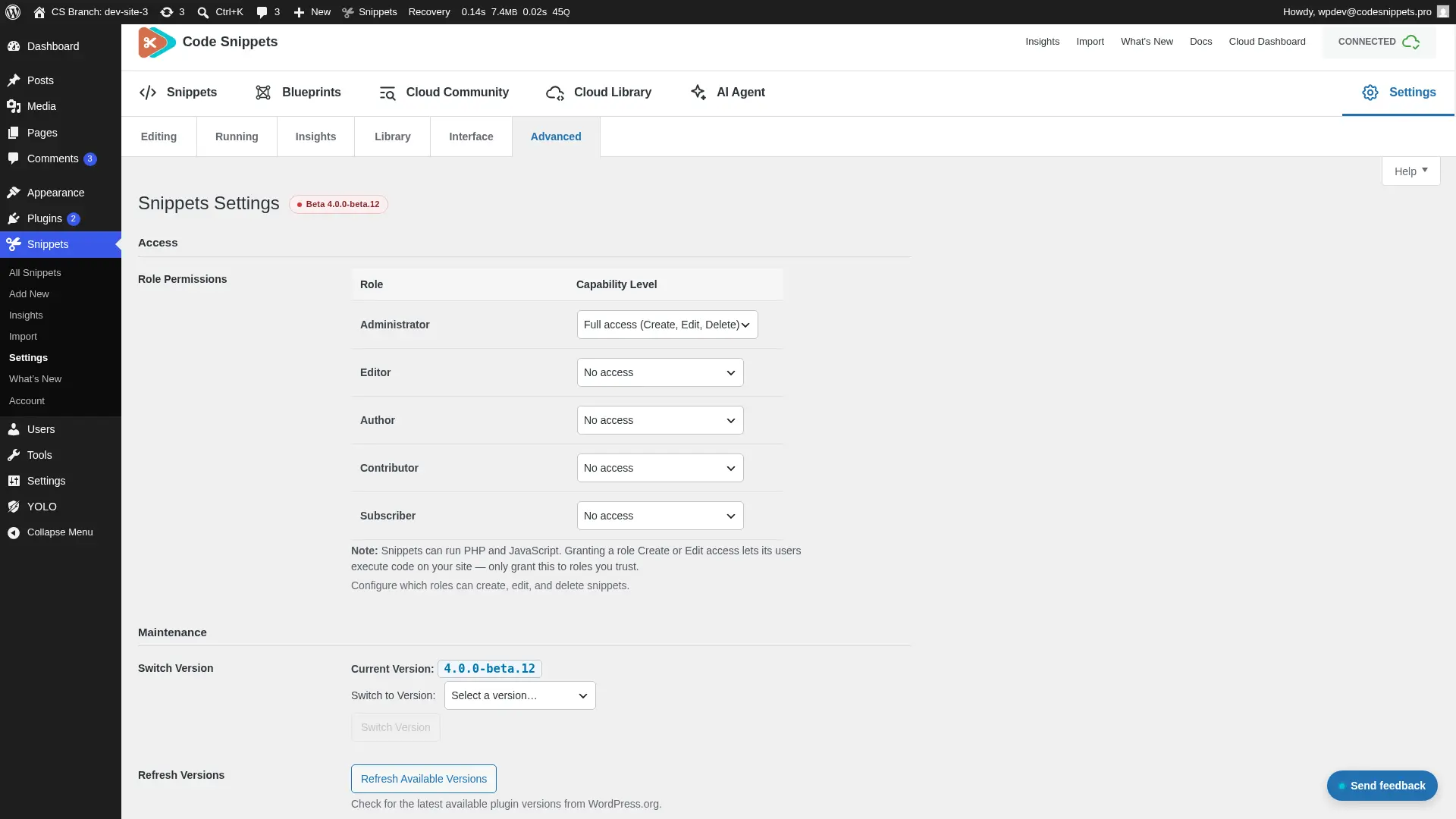
- Role-based permissions. A new Permissions tab sets, for each role, whether users can view, edit, activate or delete snippets.
The permissions system is smarter than it first looks. Because access runs through a dynamic capability rather than permanent role changes, nothing gets baked in and you can undo every change. And since the Settings page stays admin-only, you can’t accidentally lock yourself out of your own site.
Built for how developers actually work🏗️
- Set up a site from a saved collection of snippets and settings, so your standard build is ready in minutes.
- Flat file storage. Keep snippets as files, which means they can be version-controlled alongside the rest of the site.
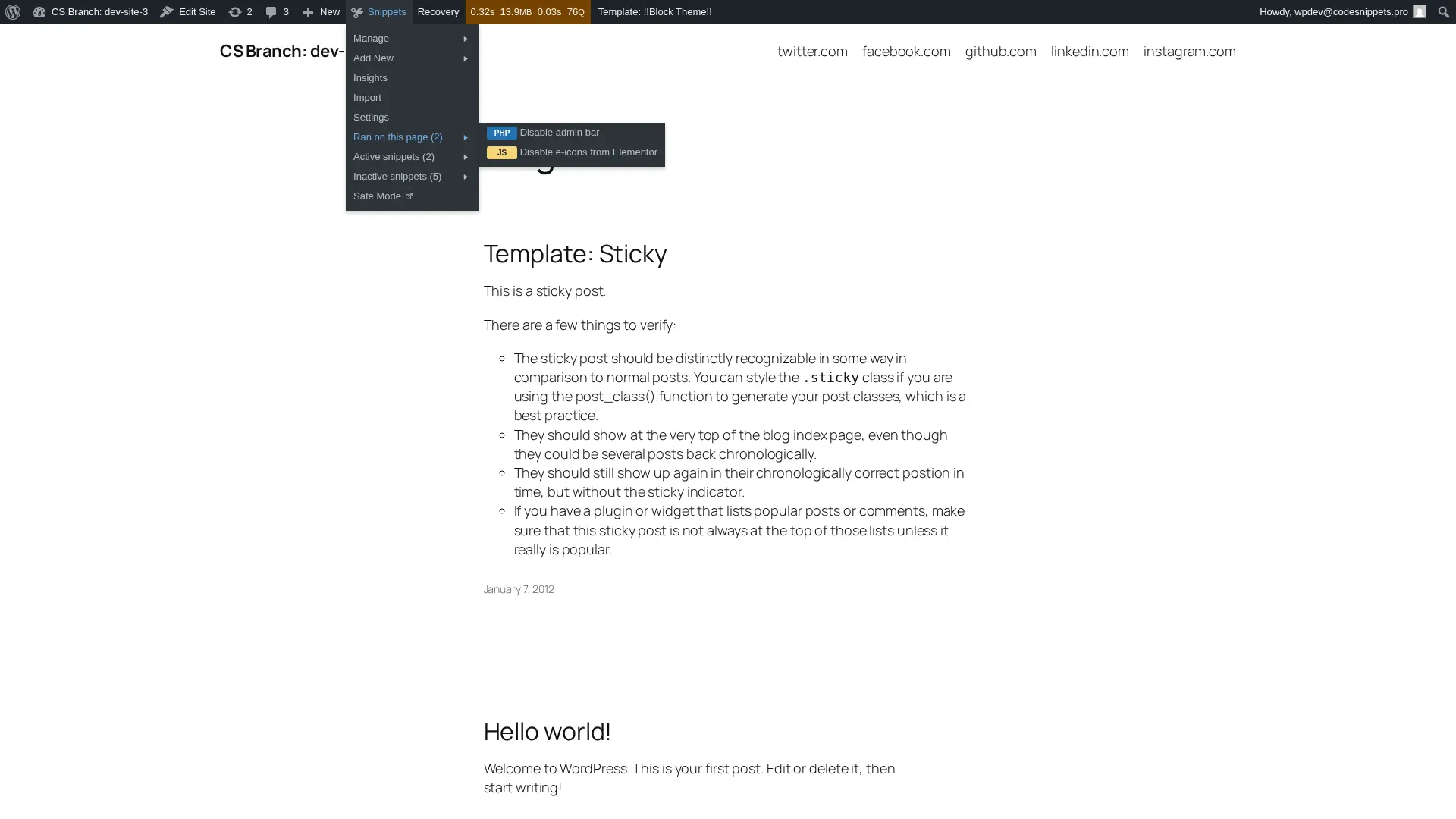
- Ran on this page. The admin bar now lists the snippets that actually fired on the current request, covering PHP, content, CSS and JavaScript. No more guessing which of your 40 snippets did that.
- Authorship tracking. Snippets record who created them and who edited them last. A new Author column shows the avatar and name, with a tooltip for both.
One small fix solves a surprisingly common annoyance. When you paste code into the editor, 4.0 strips the wrapper markup around it: markdown code fences, PHP tags, style and script tags. Then a notice tells you what went. So if you’ve ever pasted something from an AI chat window and watched the editor light up with syntax errors, that’s over.
The Cloud grows up☁️
Code Snippets Cloud is now a genuine command centre for agencies and multi-site owners.
- Deploy to connected sites. Push snippets from the cloud straight to a site, and get a precise status back for each one. If several snippets go out together, they can share one display condition, created once and linked to all of them.
- Drift detection. Find out when a snippet on a site no longer matches the copy stored in the cloud. You hear about it before the client does.
- Bundles as standalone plugins. Push a bundle to a connected site as a WordPress plugin zip. Once installed, it runs without depending on Code Snippets at all.
- Remote updates. Update Code Snippets Pro on a connected site from the cloud dashboard.
- Natural-language search. Describe what you need in Community Cloud instead of guessing keywords.
And large codevaults now load a page at a time rather than all at once. So big libraries open fast, instead of hanging while everything arrives.
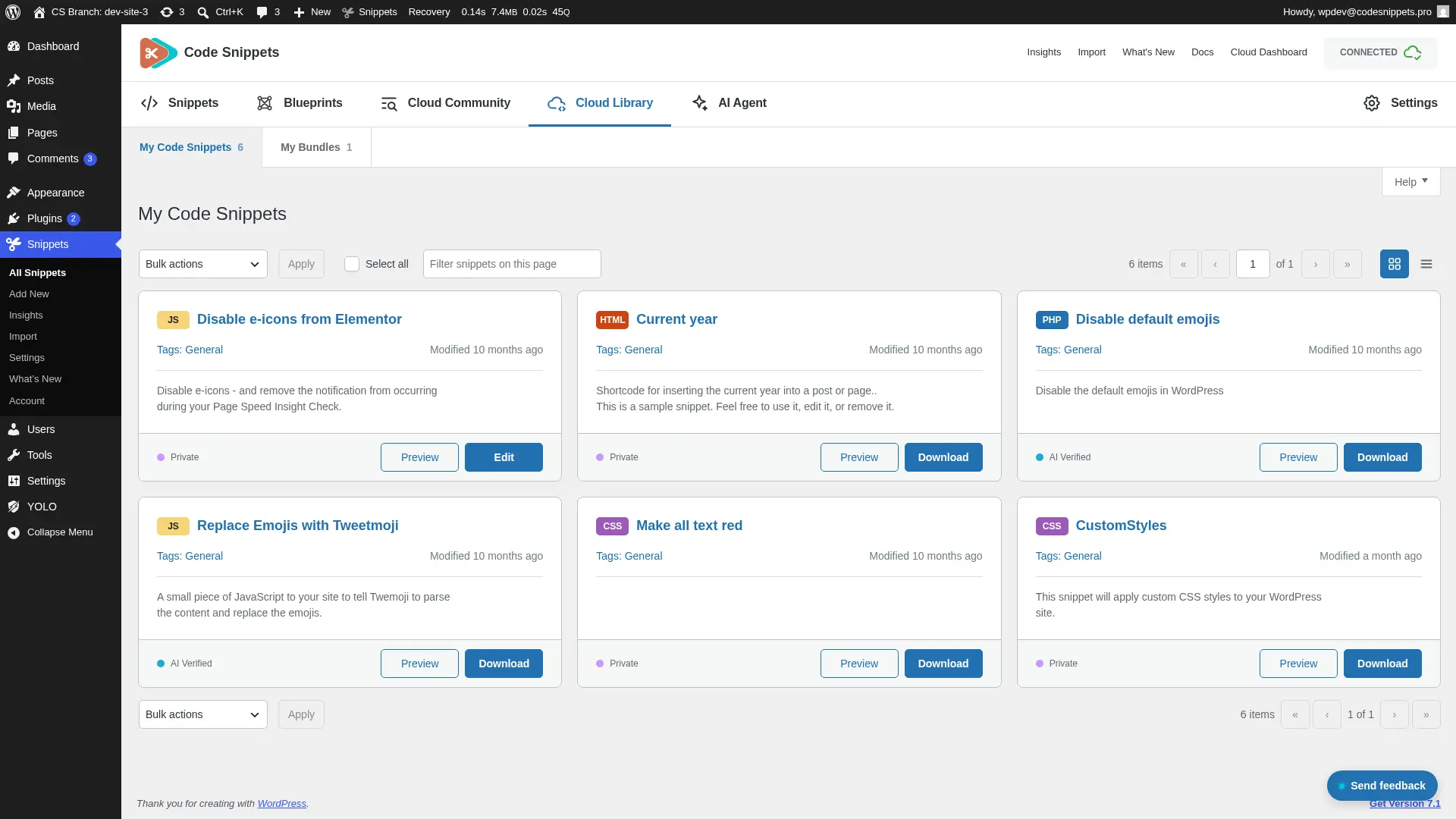
A calmer admin experience🎨
We rebuilt the whole interface. So you get a cleaner layout, a rebuilt snippets table with better search, filtering, sorting and bulk actions, a card view with a view switcher, and a preview modal for reading code without opening the editor.
Settings now group by task: Editing, Running, Library, Interface and Advanced. Clearer headings and descriptions make long tabs easier to scan. And your saved values stay exactly where they were, so you lose nothing in the move.
Every screen now has proper WordPress Help tabs as well, covering Snippets, Blueprints, Cloud Library, AI Agent, Insights, Import, Settings and Welcome. Each one explains what the page does and how to use it.
Then there are the smaller touches you’ll feel daily. Code Snippets screens now hide unrelated admin notices from other plugins. An admin bar drawer, inspired by the Deckerweb Snippets workflow, gives you quick access to snippets and Safe Mode from anywhere. And if you want it, Screen Options can add a sortable ID column to the snippets table.
Accessibility got a serious pass too: clearer labels, headings, tab markup and controls, better colour contrast, and reduced-motion support across admin screens.
Tell us what’s broken, from inside the plugin 💬
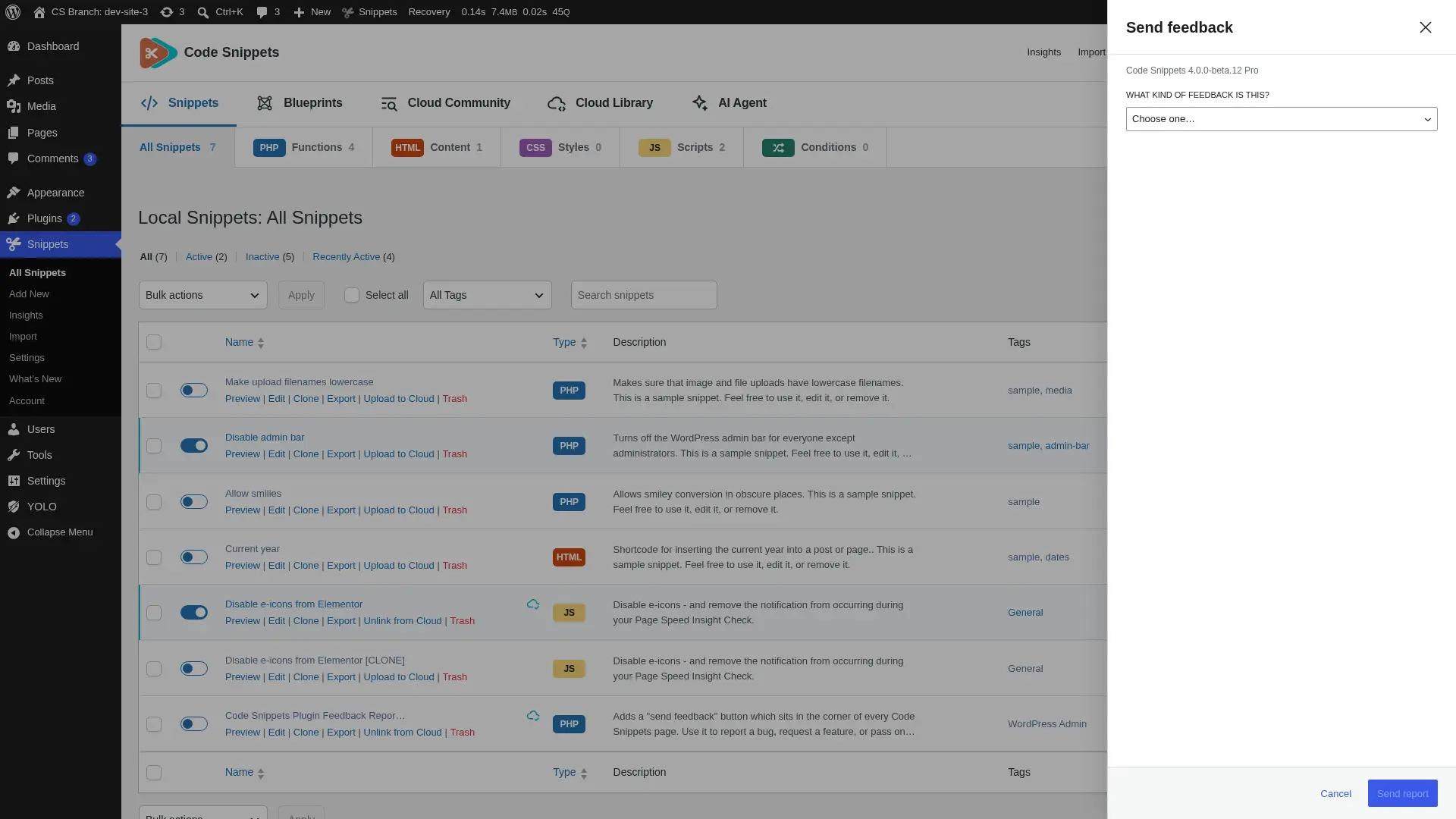
4.0 adds an optional feedback reporter to Code Snippets screens. It’s off by default, and you switch it on under Advanced settings.
For bug reports it shows an environment summary covering WordPress, PHP, theme and plugin versions, plus any JavaScript errors it caught on the page. Then it states exactly what it will send, before you send it. It even surfaces similar existing reports, so you can check whether someone has raised it already. And reports travel through your site’s server rather than straight from the browser.
On the free plugin: see Pro before you spend 🆓
Free users get 4.0’s interface improvements, plus something fairer than a feature comparison table: guided walkthroughs of the three biggest Pro features, running entirely inside your own dashboard.
- AI Agent demo. Watch it plan, build and refine a welcome banner snippet named after your site.
- Blueprints demo. Step through the Create a Shortcode blueprint and see the snippet it would generate.
- Cloud Library demo. See how a cloud snippet is previewed, downloaded inactive, then kept in sync.
No data leaves your site, the demos generate no code, and your library gains nothing. You’ll spot the walkthroughs by the New badges on the toolbar, which quieten down once you’ve watched them.
❓Code Snippets 4.0 FAQ
Lorem ipsum dolor sit amet, consectetur adipiscing elit. Ut elit tellus, luctus nec ullamcorper mattis, pulvinar dapibus leo.
🤖 Is the AI Agent in the free version?
The AI Agent is a Pro feature. But free 4.0 includes a guided demo of it running inside your dashboard, so you can watch the plan, approve and build flow before you upgrade.
🔐 Does the AI Agent send my site's credentials anywhere?
No. Every request goes through a REST proxy on your own site, which means your cloud credential never leaves the server.
Do the free demos touch my site or send data anywhere?
No. All three demos run as scripted walkthroughs, entirely inside the plugin. They save nothing, generate no code, and send no data anywhere.
🕘 Can I undo a change to a snippet?
Yes. Revisions keep a history of past versions with a side-by-side diff, and any version restores with one click. But if you’d rather not keep them, you can cap how many each snippet stores, or switch them off globally or per snippet.
🔎 Will security scanning block me from saving?
Never. Findings stay advisory. They flag risky patterns like eval() with a severity rating, the line number and an excerpt, then leave the decision to you. So dismiss a finding if it’s a false alarm.
🔒 Could I lock myself out with role permissions?
No. The Settings page stays admin-only, and because permissions work through a dynamic capability rather than permanently altering roles, you can undo every change.
☁️ Can I manage snippets across all my client sites?
Yes. Deploy snippets from Code Snippets Cloud to connected sites, group a deploy under one shared display condition, and let drift detection tell you when a site’s copy stops matching the cloud.
🚀 How do I get Code Snippets 4.0?
Update from your WordPress dashboard when the release lands, or grab it from the WordPress repository. Then for the AI Agent, revisions, Insights, cloud deployment and the rest of the Pro feature set, head to codesnippets.pro.
The short version
4.0 gives your custom code four things it never had: a plan before it’s written, a history after it’s saved, hard numbers on what it costs you, and a watchdog once it’s deployed. We’ve been building toward this for fourteen years, with over a million sites along for the ride.