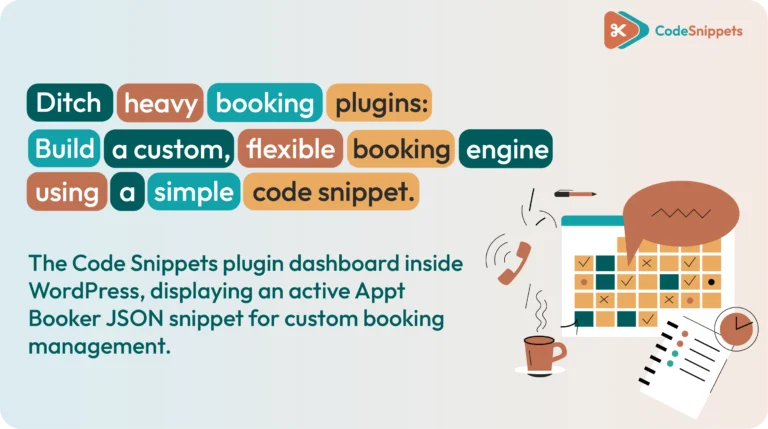
A truly useful WordPress booking system needs to do far more than just display a basic calendar. When your business manages multiple services, team members, physical locations, capacity limits, and custom payment rules, your form must be smart enough to display only the choices that genuinely work together.
Appt Booker is a free, open-source code snippet designed specifically for this type of advanced booking flow. By using the Code Snippets plugin to manage and execute the code, you can easily connect services, locations, staff members, availability, capacity, and PayPal payments into one unified system.
The end result is a highly adaptive booking engine. Whether you run a yoga studio, salon, consultancy, restaurant, or one-person online service, this snippet shapes itself to your workflow without forcing you into rigid, third-party plugin templates!
🧩 What a Smart WordPress Booking System Must Handle
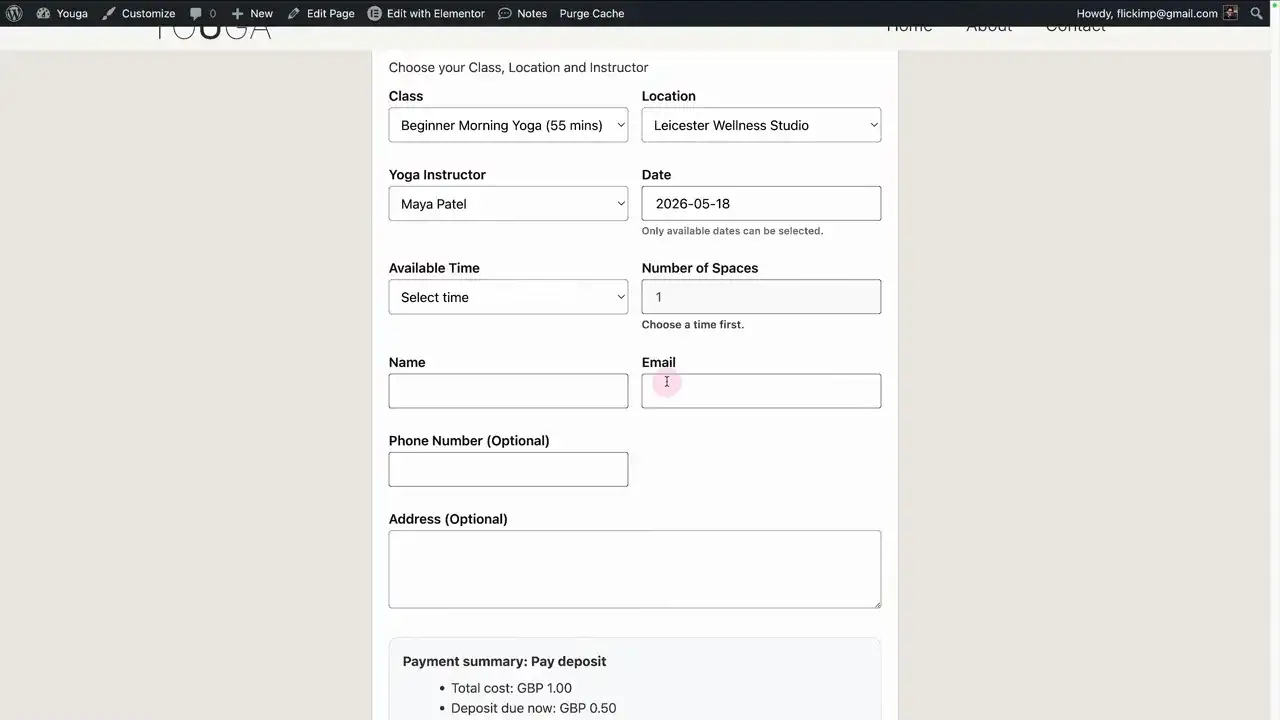
A great booking form prevents irrelevant choices long before a customer reaches the checkout step. For instance, if a user selects a specific class, the form should dynamically filter to show only the instructors, venues, and time slots that actually deliver that class.
Appt Booker uses a relational approach to filter every step of the journey:
- Service: Yoga classes, haircuts, strategy consultations, or table reservations.
- Location: Physical venues, regional branches, or online meeting rooms.
- Staff Member: The specific instructor, barber, consultant, or team member delivering the service.
- Date and Availability: Real-time slots calculated from working hours, service schedules, breaks, and time-off periods.
- Capacity: Single 1-on-1 appointments or multi-seat group bookings up to a set limit.
This logic is especially valuable for businesses offering the same service across multiple locations, with different staff schedules, on different days.
🔄 How the Customer Booking Flow Works
When a customer lands on your booking page, they follow a smooth, logical path:
- Service Selection: The user picks a service, location, and preferred team member.
- Dynamic Filtering: The form instantly updates so that choosing a service exposes only compatible staff and venues.
- Group Capacity: For group sessions, customers can reserve multiple spaces up to the remaining capacity. If eight spots remain, the form blocks anything above eight.
- Filtered Time Slots: The system calculates valid slots based on buffers, notice rules, and staff availability.
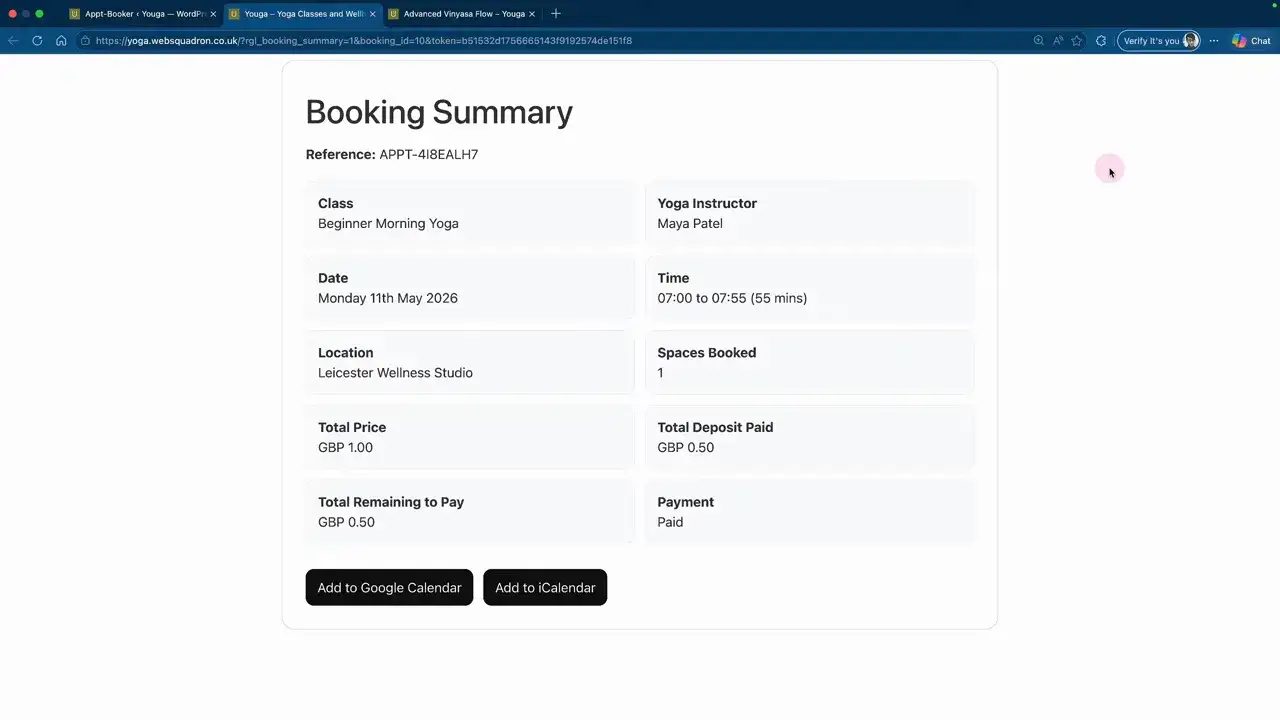
- Checkout & Summary: Customers review their booking details. If payment is required, they are routed to PayPal. If the booking is free, the system completes the process instantly.
📅 Booking Confirmations and Calendar Links
Once booked, appointment details appear on a confirmation screen and arrive via email. The email includes direct one-click links to add the appointment to Google Calendar or any iCal-compatible application.
Simultaneously, instant notification emails are sent to both the website administrator and the assigned staff member!
⚡ Who Can Use This Code Snippet Booking Engine?
Because all labels in the system are fully configurable, you can quickly adapt the form to match your exact industry terminology:
- Salons & Barbers: Custom labels for Service, Salon Location, and Stylist.
- Fitness Studios: Custom labels for Class, Studio, and Instructor.
- Restaurants: Tailored terminology for Table Reservation and Dining Area.
- Consultants & Solo Businesses: Hide location and staff selectors completely on the front end while the system applies preset defaults in the background!
🛠️ How to Set Up Appt Booker in WordPress
Instead of installing a bulky, feature-bloated plugin, Appt Booker is deployed as a clean JSON code snippet. You simply need the official Code Snippets plugin to import and manage the system safely.
1.Download the Snippet File.
2.Import the JSON File.
Navigate to Snippets > Import in your WordPress admin bar and upload your Appt Booker JSON file.
3.Save and Activate.
Give your snippet a clear title (such as “Appt Booker Engine”), then click Save Changes and Activate.
5.Create the Booking Table:Database Init.
Open the new Appointment Booker menu item in your sidebar and click the option to generate the custom database table.
Important Note: You must create the booking table inside the Appointment Booker menu before accepting live traffic. This initializes the custom database structure required to store and process customer reservations.
📋 Configure Your Booking System in the Right Order
To ensure your dynamic availability logic works perfectly, build your connected records in this exact sequence:
- Create Locations: Set up physical branches or online venues.
- Add Staff Members: Input profiles, contact info, working hours, breaks, and time-off ranges.
- Create Services: Define durations, buffer gaps, notice windows, and advance booking limits.
- Connect Relationships: Link each service to its eligible locations and staff members.
- Configure Payments & Overrides: Set default deposit rules or staff-specific pricing exceptions.
- Deploy Shortcodes: Add the booking shortcode to your pages, popups, or Elementor templates.
⚙️ Advanced Configuration Options
🕐 Service Duration & Buffer Time
Service duration and buffer time work together to shape your calendar. For example, an appointment lasting 55 minutes with a 5-minute buffer opens the next booking slot right on the next hour.
🛡️ Notice Rules & Advance Limits
Prevent last-minute chaos by setting a Minimum Notice Period (e.g., blocking bookings less than 2 hours in advance). You can also set a Maximum Advance Window (e.g., limiting bookings to 28 days into the future).
💳 Payments, Deposits, and Staff Overrides
Appt Booker allows complete payment flexibility per service or per team member:
- Free Bookings: Record appointments with no payment required at checkout.
- Full Payment or Deposits: Take full payments or charge percentage/fixed deposits via PayPal.
- Staff-Level Routing: Route payments directly to individual staff PayPal accounts using custom overrides.
🎨 Customizing Forms for Elementor and Loop Grids
Appt Booker relies on simple shortcodes, making it exceptionally easy to embed anywhere inside WordPress or Elementor:
- General Form Shortcode: Places a full booking form where users select services, locations, and staff from scratch.
- Preselected / Locked Shortcode: Forces the form to load with a specific service or staff member preselected and locked.
- Dynamic Template Shortcodes: Place a single dynamic shortcode inside an Elementor Single Post Template. It automatically detects the current post context and filters options dynamically!
🛑 Common WordPress Booking Mistakes to Avoid
- ❌ Skipping the Table Initialization: Always click “Create Booking Table” in the menu before running tests.
- ❌ Creating Services First: Always build your locations and staff profiles before creating services so you can assign relationships easily.
- ❌ Confusing Weekly Hours with Service Availability: Standard weekly hours represent broad working patterns; service settings establish when a specific service is offered.
- ❌ Using the Wrong PayPal Email: Double-check that your payment destination email address is separate from administrative notification emails!
🏁 Key Takeaway
A well-configured WordPress booking system should reflect the real-world operational relationships between your people, places, and services. By deploying Appt Booker through the Code Snippets plugin, you eliminate the bloat of heavy commercial plugins while gaining total control over your booking flow, typography, styling, and database performance.

Huge thanks to Imran Siddiq - Web Squadron for architecting this tutorial!
❓FAQ: Code Snippets WordPress Booking System
🧩 Can a single session accept multiple bookings from different customers?
Yes, absolutely! You can define maximum capacity for any service and staff combination. The system automatically tracks booked spots and prevents overbooking once capacity is reached.
🧪 Can I run this booking system without taking online payments?
Yes. You can configure services to record appointments for free or collect payment in person upon arrival. PayPal full payments and deposits remain completely optional.
🔑 Do I need Advanced Custom Fields (ACF) to use custom fields with this system?
No. Appt Booker includes built-in custom field support for locations, services, and staff profiles, allowing you to easily map dynamic keys into Elementor loop grids and single post templates without extra plugins!