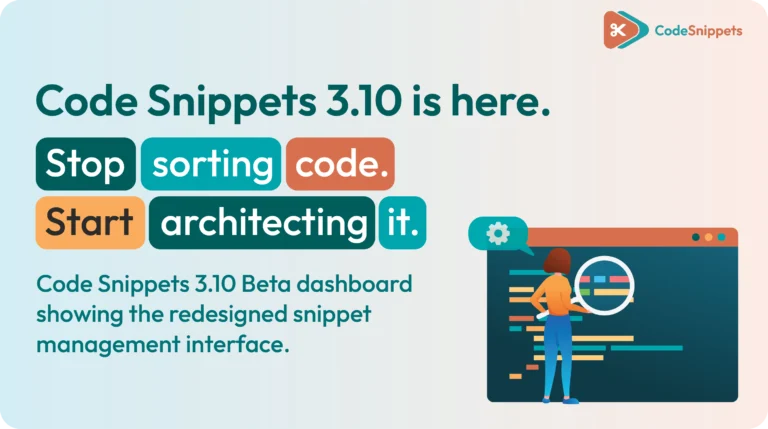
Code Snippets 3.10 Beta is officially here! This release is far more than a simple patch. Instead, it is a complete professional overhaul.
For years, we have talked about creating a cleaner, calmer way to manage custom logic in WordPress. Therefore, we rebuilt the entire experience for version 3.10. We focused on a redesigned admin, safer deployment, smarter recovery, and a faster way to create professional-grade logic.
In short, you are not just storing code anymore. Now, you are actively architecting it.
🏗️ Blueprints: Generate Logic, Don’t Hunt For It
The headline feature of 3.10 is Blueprints. For years, developers have lost hours rebuilding the same patterns, such as custom post types, user fields, and query filters. Consequently, we decided to flip the workflow entirely. Now, you can simply choose a Blueprint, fill in a few fields, and let the engine build the logic for you.
- Generate, don’t search: First, pick a Blueprint. Next, answer a few prompts. Finally, get clean, working logic in seconds.
- Safe by default: Blueprints strictly follow WordPress best practices. Therefore, your code stays modular and avoids common syntax mistakes.
- Reusable libraries: You can save your own custom Blueprints. After that, you can deploy them across client sites in seconds.
🎨 A Redesigned Admin, Built for Focus
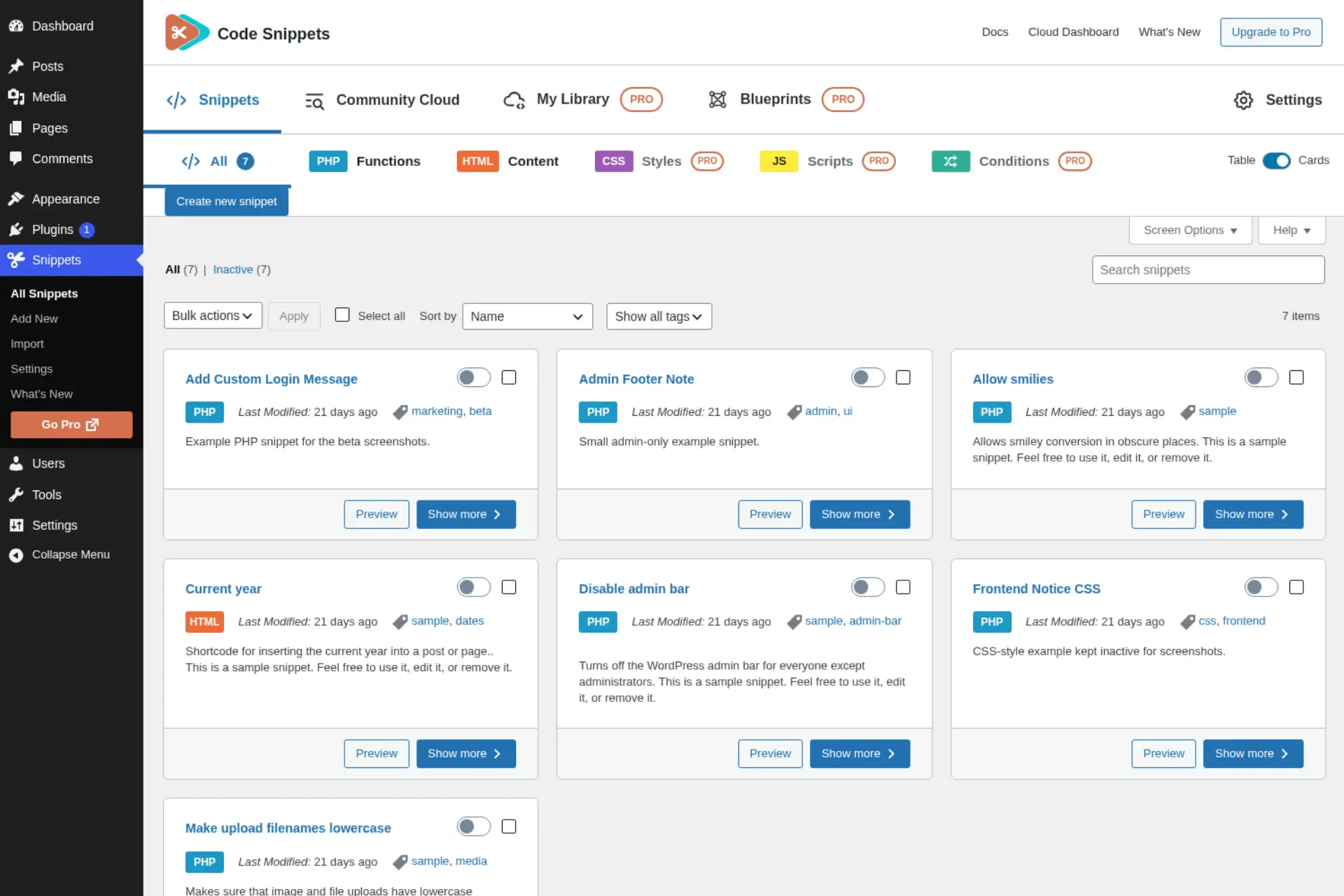
The 3.10 interface represents a clean break from the old style. First, we stripped out the legacy clutter. Next, we rebuilt the workspace to be faster and much easier to scan. As a result, your dashboard stays calm even when you are managing hundreds of snippets.
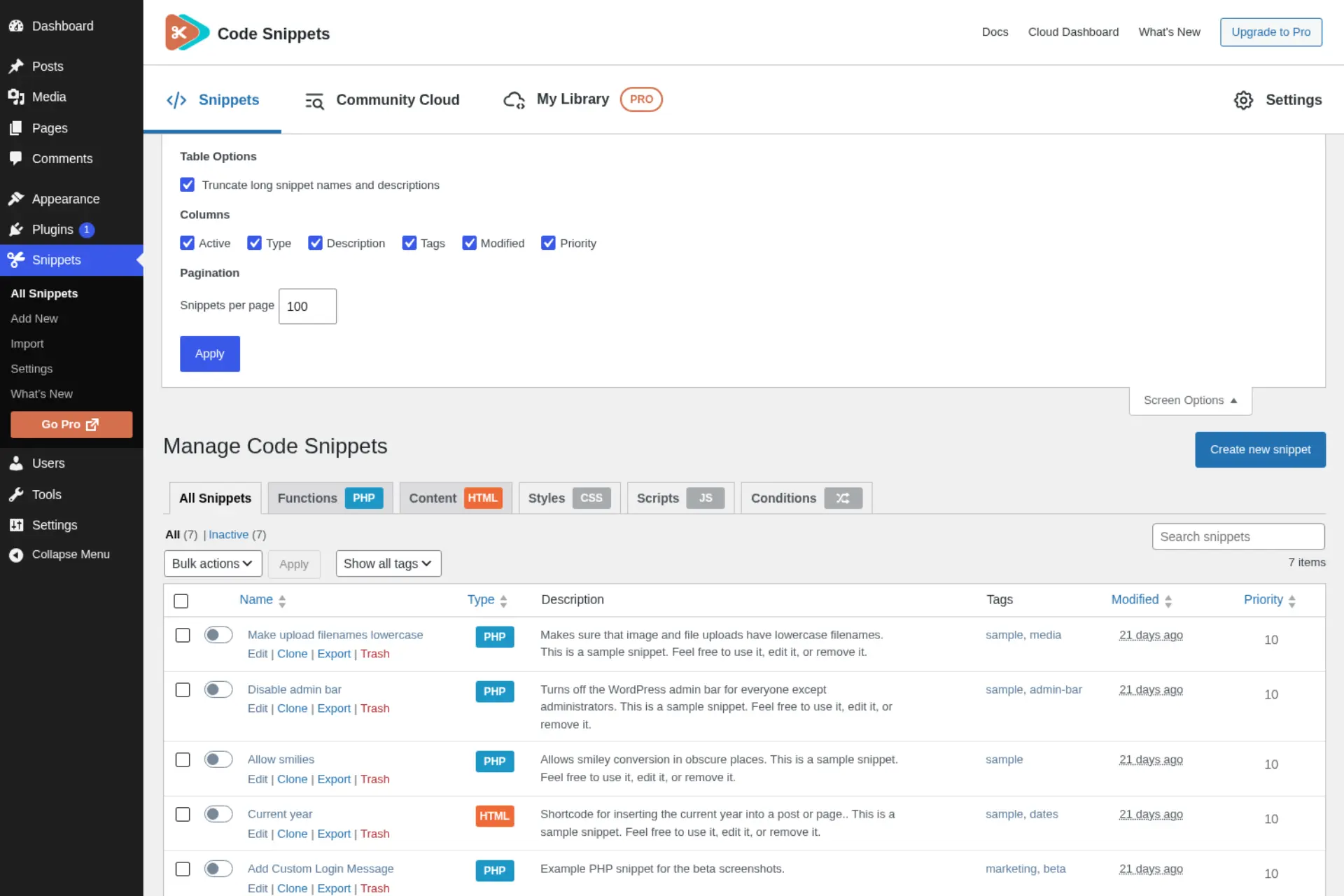
- A rebuilt snippets table: You can search, filter, sort, paginate, and select in bulk from one cleaner view. In addition, you can run bulk actions and download snippet code in bulk.
- Smarter screen options: Easily choose which columns to show. Additionally, long names and descriptions now truncate intelligently to keep the table crisp.
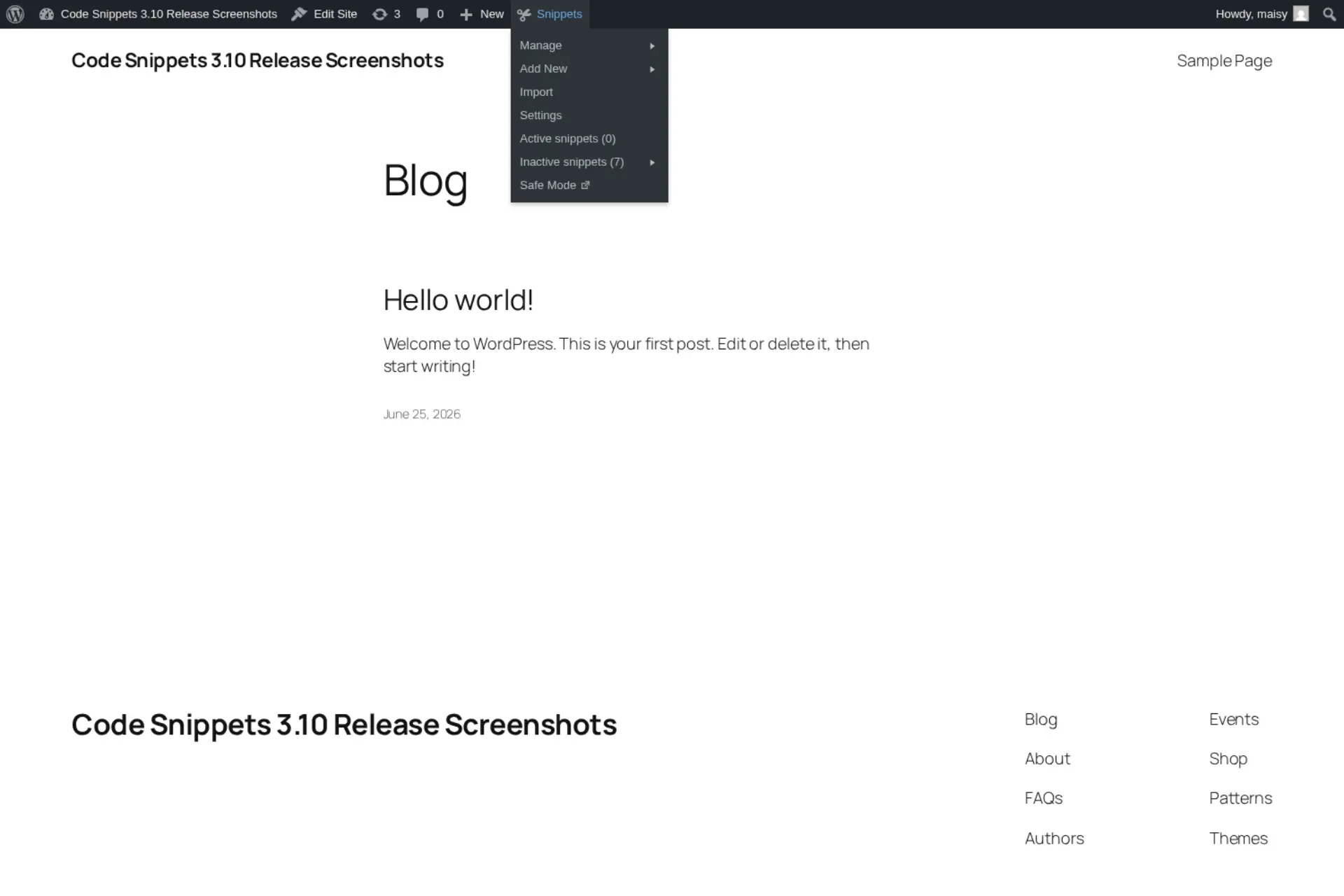
- An admin bar drawer: This feature is based on the popular Deckerweb Snippets workflow. Consequently, you can reach your snippets and Safe Mode straight from the admin bar without leaving the page you are building.
- WordPress 7.0 ready: The new styling perfectly matches WordPress 7.0. Because of this, everything feels completely native.
🔒 Snippet Locking: Protect Your Critical Code
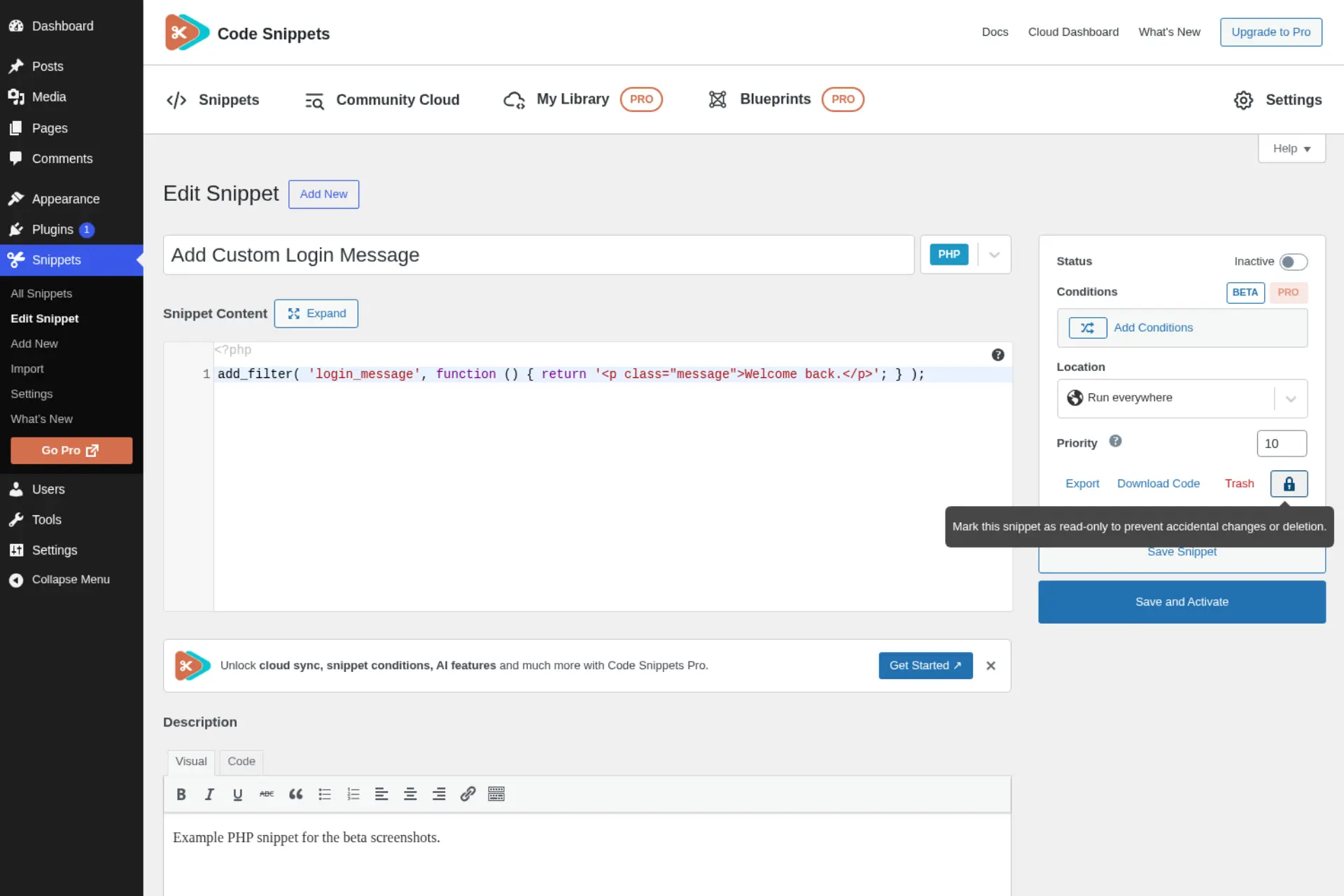
Stability matters most when it comes to the snippets you cannot afford to break. Therefore, version 3.10 adds Snippet Locking, which was generously contributed by @mgiannopoulos24 on GitHub. Once you lock a snippet, the system protects it from accidental edits or deletion.
- Guard your core logic: Lock your mission-critical snippets. This ensures that a teammate or client cannot change them by mistake.
- Safer multi-user sites: Your global variables and core PHP stay exactly as you set them.
🛡️ Clearer Errors and Faster Recovery
The generic 500 error is one of the most frustrating issues in WordPress. Because of this, we made error handling far more useful in 3.10. Now, when something fails, the system shows you exactly what failed and where.
- Actionable feedback: Activation failures, validation errors, and stack traces are now much easier to read and understand.
- Guided Safe Mode recovery: If a snippet causes a conflict, Safe Mode will walk you back to a working site. Best of all, you do not need to use FTP. ⚡
☁️ A Better Community Cloud
Finding good snippets should always be quick. Therefore, we significantly improved the Community Cloud. Search and filtering are much faster, results load cleanly, and empty states finally explain exactly what is going on.
- Featured snippets: You can now browse hand-picked, high-utility snippets right from the Cloud.
- Sharper search: Server-side filters and clearer results make finding the right snippet easier than ever.
🔄 Painless Import and Migration
Moving your code to Code Snippets should be the easiest part of your day. Consequently, we completely overhauled the import experience for 3.10. File uploads are much clearer, and migrating from other plugins is incredibly smooth.
- Cleaner imports: You can bring your libraries over with fewer formatting headaches and immediate compatibility.
- Agency-level screen options: Easily show or hide IDs, tags, and scopes to shape the dashboard around how your team works.
♿ More Accessible Than Ever
We believe that good tools should work beautifully for everyone. Therefore, accessibility received real, dedicated attention in 3.10. Specifically, we improved labels, headings, contrast, keyboard support, and screen-reader support across the entire plugin.
- Clearer structure: We added better labels, headings, tab markup, table checkboxes, sort buttons, copy buttons, and drag-and-drop upload controls.
- Easier on the eyes: We also improved color contrast and added reduced-motion support across all admin screens.
🧱 Cleaner Under the Hood
Finally, we have a quick note for the developers. We moved the plugin to a cleaner PSR-4 structure. While this will not change your day-to-day workflow, it makes Code Snippets much easier to maintain and extend for years to come.
Ready to Build the New Way? 🏁
The days of messy functions.php files and plugin fatigue are officially behind us. Code Snippets Pro 3.10 is not just a simple update. Instead, it is your new professional standard.
When you upgrade to Pro, you unlock the complete toolkit, including Blueprints, Snippet Locking, and the Cloud Sync that agencies rely on to stay fast and secure. So, stop patching your functions.php file, and start architecting your code properly. 🏗️
❓The 3.10 Beta and Blueprints
🧩 What exactly is a Blueprint?
A Blueprint is a guided template for common WordPress logic, such as custom post types, user fields, or query filters. Instead of writing code from scratch, you simply pick a Blueprint and fill in a few fields. After that, Code Snippets automatically generates clean, best-practice code for you. Finally, you can save it and reuse it across all of your sites.
🧪 Is the 3.10 Beta safe for production sites?
Because this is a beta version, we highly recommend testing it on a staging site first. The 3.10 engine adds improved error handling and Safe Mode recovery to guard against conflicts. However, as with any pre-release build, it is wise to keep it off live client sites until the stable version officially lands. Please make sure to back up your site before you start.
🔑 How do I get access to Blueprints?
Blueprints arrive with the 3.10 Beta. Therefore, the quickest way to try them is to join our beta testing program using the link above. Once 3.10 reaches its stable release, the full feature set will unlock for all Pro users.
📥 Can I import my old snippets into 3.10?
Yes, absolutely. We completely rebuilt the import and migration experience in 3.10. We added clearer file uploads and smoother flows for moving over from other plugins. As a result, your existing snippets and libraries will come across with immediate compatibility.
📋The Full 3.10 Beta Changelog
➕ Added
- New admin interface for managing snippets, with a cleaner layout, faster interactions, and a more consistent experience across plugin screens.
- Admin bar snippet drawer, based on the Deckerweb Snippets workflow, for quick access to snippets and Safe Mode from the WordPress admin bar.
- Snippet locking to help prevent accidental edits or deletion of important snippets. Props to @mgiannopoulos24.
- Improved screen options on the main snippets table, including controls for visible columns and truncating long snippet names or descriptions.
- Bulk actions and bulk code download support in the redesigned snippets table.
- Featured snippets and improved browsing in Community Cloud.
- WordPress 7.0 admin styling compatibility.
🔧 Changed
- Redesigned the main snippets table with improved search, filtering, sorting, pagination, row actions, and bulk selection.
- Improved the snippet import and migration experience, including clearer file upload handling and third-party plugin migration flows.
- Improved snippet error handling so activation failures, validation errors, and stack traces are easier to understand.
- Improved Community Cloud search and filtering, including server-side filters, better result loading, and clearer empty states.
- Updated the welcome screen, toolbar, import screen, and cloud screens to match the new admin experience.
- Updated internal plugin architecture to a cleaner PSR-4 structure for better long-term maintainability.
🐛 Fixed
- Fixed REST API server error responses on missing snippets.
- Fixed redundant frontend logic, improving overall performance.
- Fixed Community Cloud search results and pagination to respect WordPress screen options.
- Fixed snippet saving and activation feedback to improve validation and runtime error display.
♿ Accessibility
- Improved accessibility across the snippets table, import screen, migration flow, Community Cloud, welcome screen, toolbar, dialogs, tooltips, and code editor.
- Added clearer labels, headings, tab markup, table checkboxes, sort buttons, copy buttons, and drag-and-drop upload controls.
- Improved color contrast and reduced-motion support across admin screens.