Code Snippets 4.0 is the biggest update to the free plugin in years, and it brings a full redesign of how you manage your code.
We rebuilt the admin experience, improved the snippets table, added safeguards for important code, improved error handling, and gave the plugin a major accessibility pass. The core 4.0 workflow improvements are included in the free version, making this the cleanest and fastest Code Snippets experience yet.
Here’s what’s new.
🎨 A Brand-New Admin Experience
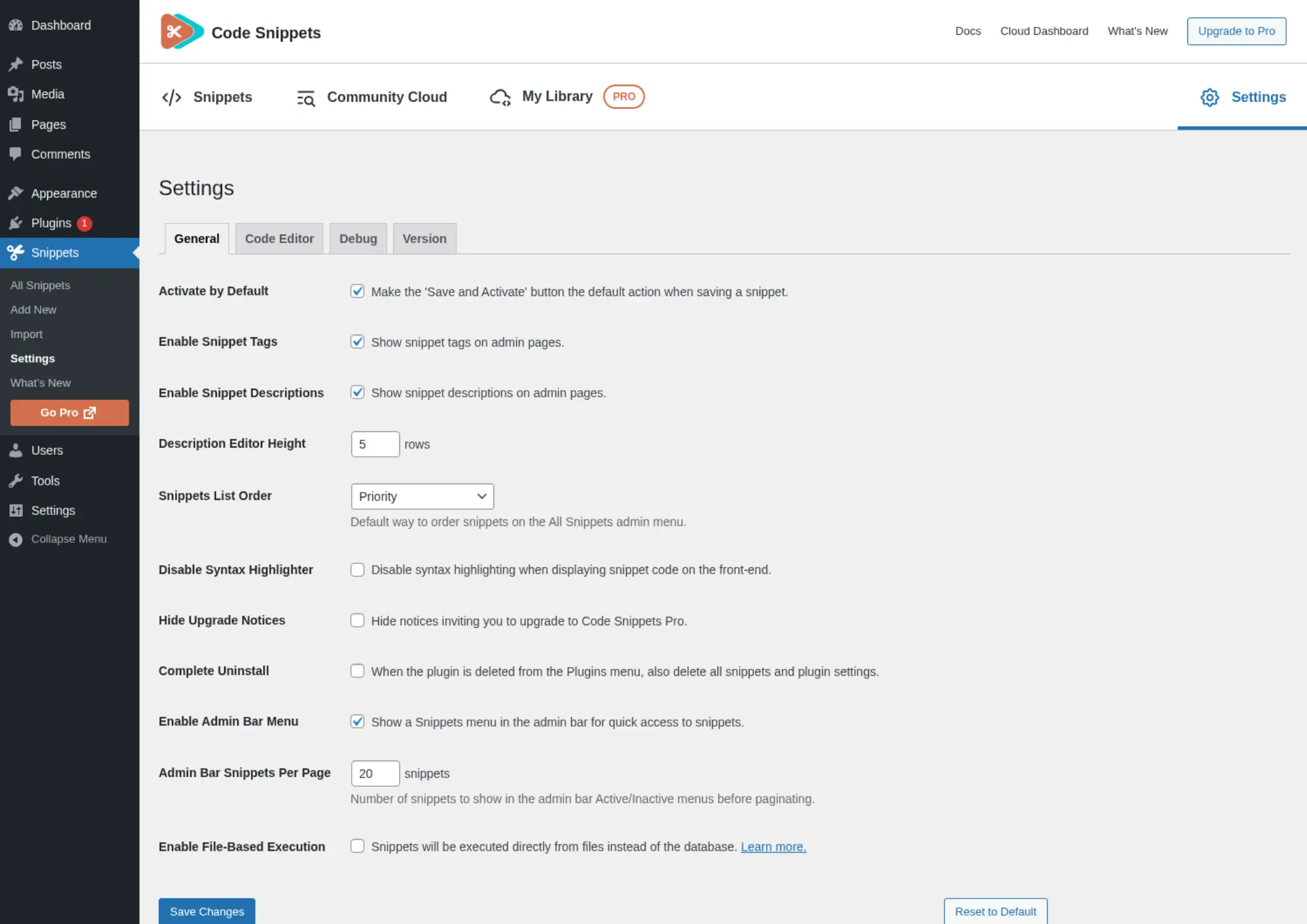
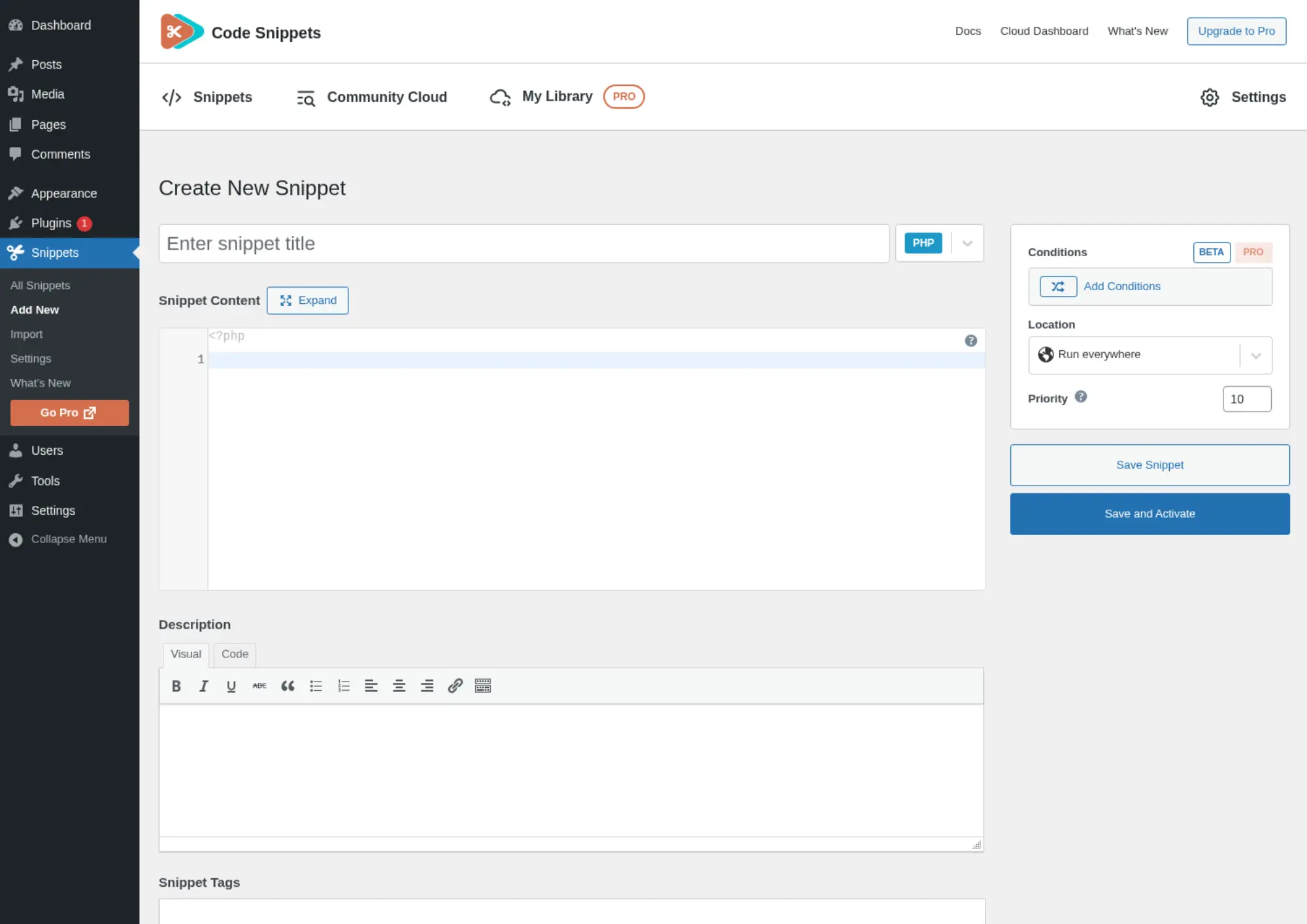
The first thing you’ll notice is the interface. We stripped out the legacy clutter and rebuilt the workspace to be faster, clearer, and easier to scan.
Screens now feel consistent from end to end, from the welcome screen to the toolbar to the Cloud views. Code Snippets 4.0 also supports WordPress 7.0 admin styling, so the new interface feels native in the latest WordPress admin.
🔍 A Faster, Cleaner Snippets Table
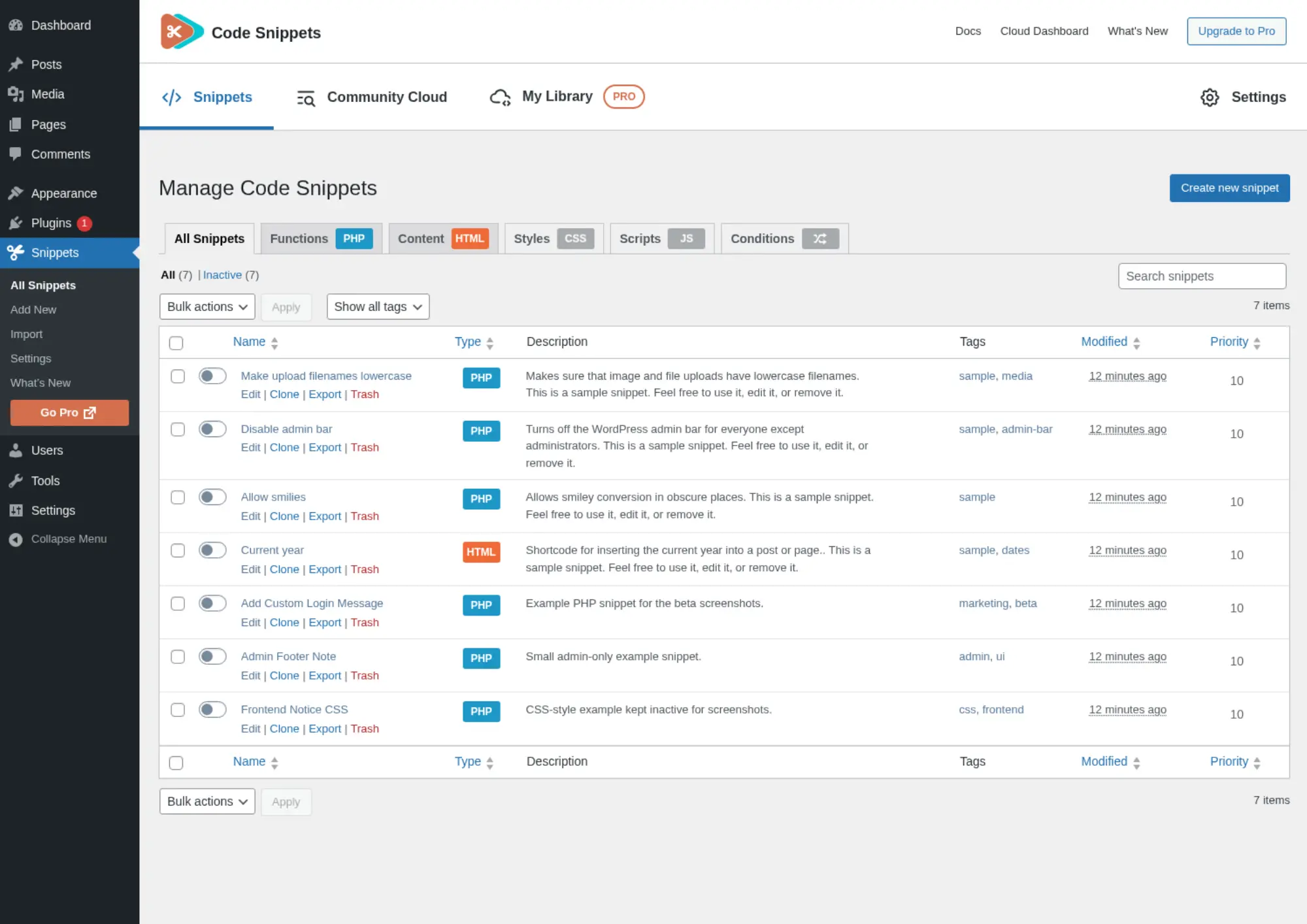
The main snippets table has been completely redesigned. You now get proper search, filtering, sorting, pagination, row actions, and bulk selection in one cleaner view.
You can also run bulk actions and download snippet code in bulk.
- Smarter screen options. Choose which columns appear, and let long names and descriptions truncate cleanly so the table stays readable.
- Built for scale. Even with larger snippet libraries, the dashboard is easier to navigate.
📥 The Admin Bar Drawer
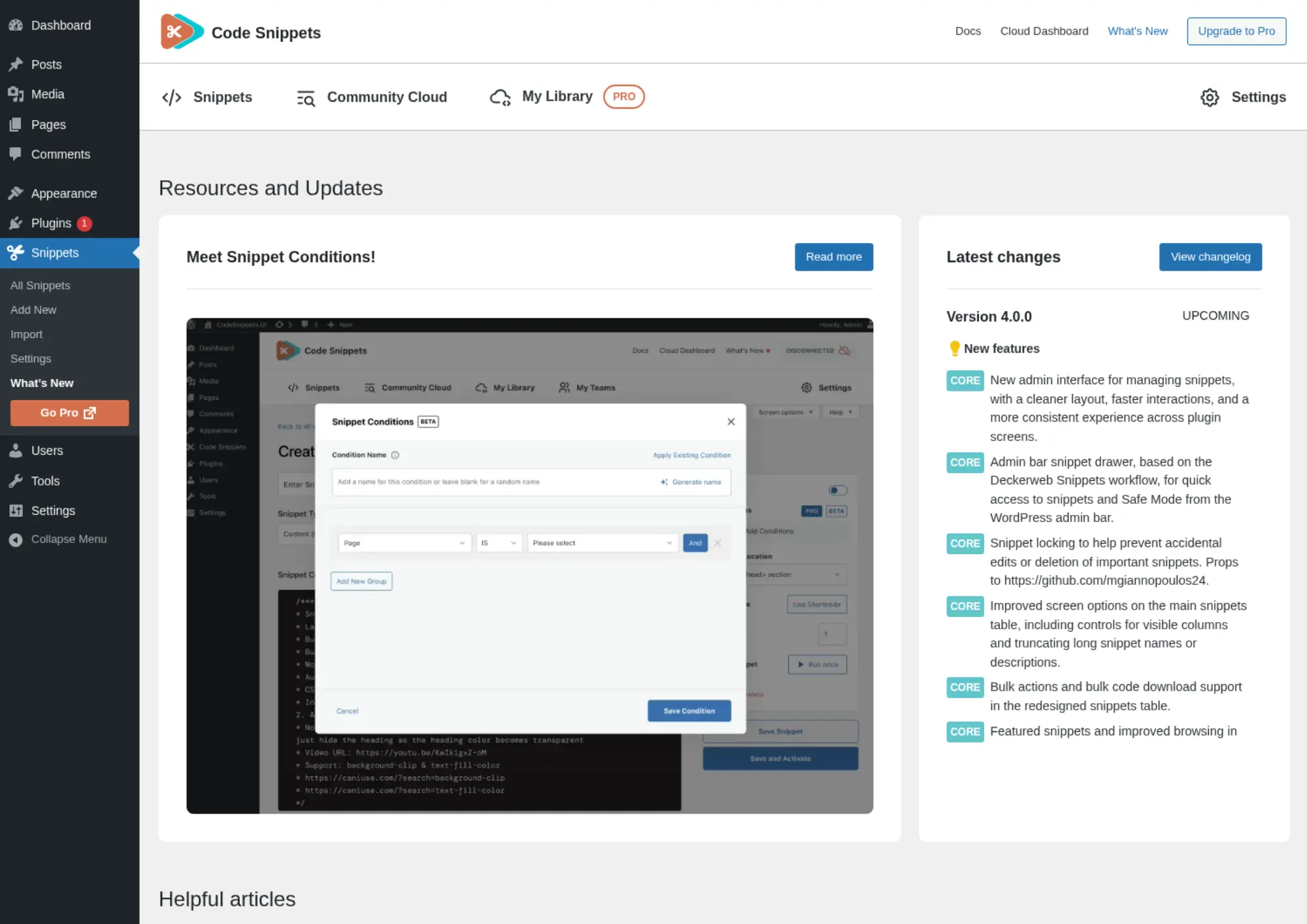
One of the most useful additions is the new admin bar snippet drawer, based on the Deckerweb Snippets workflow.
It gives you quicker access to snippets and Safe Mode from the WordPress admin bar, so you can toggle or check a snippet without leaving the page you’re working on.
🔒 Snippet Locking
Some snippets are too important to edit by accident.
Code Snippets 4.0 adds snippet locking, contributed by @mgiannopoulos24 on GitHub. Locking a snippet helps protect it from accidental edits or deletion, which is especially useful on multi-user sites where teammates or clients may also have access.
🛡️ Clearer Errors and Easier Recovery
Generic 500 errors are one of the least helpful parts of debugging WordPress.
Code Snippets 4.0 improves error handling so activation failures, validation errors, and stack traces are easier to read. When something goes wrong, you get clearer information about what failed and where.
And if a snippet causes a conflict, Safe Mode helps you recover without needing to touch FTP.
☁️ A Better Community Cloud
Finding useful snippets should be quick.
Community Cloud has been improved with better search, filtering, loading behaviour, and clearer empty states. There is also a new featured snippets section, so you can browse selected, high-utility snippets directly from the Cloud area.
🔄 Smoother Import and Migration
Moving snippets into Code Snippets should be straightforward.
For 4.0, we improved the import and migration experience with clearer file uploads and smoother flows for moving from other snippet plugins.
♿ A Big Accessibility Upgrade
Good tools should work for everyone, so accessibility received serious attention in this release.
We improved accessibility across the snippets table, import screen, migration flow, Community Cloud, welcome screen, toolbar, dialogs, tooltips, and code editor.
- Clearer structure. Better labels, headings, tab markup, table checkboxes, sort buttons, copy buttons, and drag-and-drop upload controls.
- Easier on the eyes. Improved colour contrast and reduced-motion support across admin screens.
🧱 Cleaner Under the Hood
For developers, Code Snippets 4.0 also moves the plugin toward a cleaner PSR-4 structure.
That will not change your day-to-day snippet workflow, but it makes the plugin easier for us to maintain and extend over time.
🏁 Try the Code Snippets 4.0 Beta
Code Snippets 4.0 is available now as a beta for the free plugin.
We recommend testing it on a staging site first, especially if you rely on Code Snippets for important site functionality. If you want to help shape the final release, join the beta program and send us your feedback.
If you manage snippets across many client sites, Code Snippets Pro adds Cloud Sync so you can deploy and manage your snippet library more efficiently across projects.
❓Code Snippets 4.0 FAQ
💸 Is Code Snippets 4.0 free?
Yes. Everything in this update, including the redesigned admin, the new snippets table, snippet locking, the admin bar drawer, Community Cloud improvements and the accessibility work, ships to the free version of Code Snippets. There’s no paywall on the 4.0 features.
Is 4.0 safe for production sites?
Because it’s currently in beta, we’d recommend testing it on a staging site first. The 4.0 engine adds improved error handling and Safe Mode recovery to guard against conflicts, but as with any pre-release build, it’s wise to keep it off live client sites until the stable version lands. Either way, back up before you start.
🔄 Will my existing snippets still work?
Yes. Your snippets carry over, and the import and migration experience has actually been rebuilt in 4.0 with clearer uploads and smoother flows. As always, take a backup before updating, just to be safe.
Does 4.0 support WordPress 7.0?
It does. Code Snippets 4.0 includes WordPress 7.0 admin styling compatibility, so the new interface looks and feels native on the latest version of WordPress.
📋 The Full 4.0 Changelog
➕ Added
- New admin interface for managing snippets, with a cleaner layout, faster interactions and a more consistent experience across plugin screens.
- Admin bar snippet drawer, based on the Deckerweb Snippets workflow, for quick access to snippets and Safe Mode from the WordPress admin bar.
- Snippet locking to help prevent accidental edits or deletion of important snippets. Props to @mgiannopoulos24.
- Improved screen options on the main snippets table, including controls for visible columns and truncating long snippet names or descriptions.
- Bulk actions and bulk code download support in the redesigned snippets table.
- Featured snippets and improved browsing in Community Cloud.
- WordPress 7.0 admin styling compatibility.
🔧 Changed
- Redesigned the main snippets table with improved search, filtering, sorting, pagination, row actions and bulk selection.
- Improved the snippet import and migration experience, including clearer file upload handling and third-party plugin migration flows.
- Improved snippet error handling so activation failures, validation errors and stack traces are easier to understand.
- Improved Community Cloud search and filtering, including server-side filters, better result loading and clearer empty states.
- Updated the welcome screen, toolbar, import screen and cloud screens to match the new admin experience.
- Updated internal plugin architecture to a cleaner PSR-4 structure for better long-term maintainability.
🐛 Fixed
- Fixed REST API server error responses on missing snippets.
- Fixed redundant frontend logic, improving overall performance.
- Fixed Community Cloud search results and pagination to respect WordPress screen options.
- Fixed snippet saving and activation feedback to improve validation and runtime error display.
♿ Accessibility
- Improved accessibility across the snippets table, import screen, migration flow, Community Cloud, welcome screen, toolbar, dialogs, tooltips and code editor.
- Added clearer labels, headings, tab markup, table checkboxes, sort buttons, copy buttons and drag-and-drop upload controls.
- Improved colour contrast and reduced-motion support across admin screens.